
Q1. How do I enable disbursements in Bills?
Make sure you’ve completed the following to be able to disburse payments in Bills in Juan:
completed a Digital Payment Connection with disburse service
created a Disbursement Profile
created beneficiaries in Contacts
Q2. How do I disburse payments in Bills?
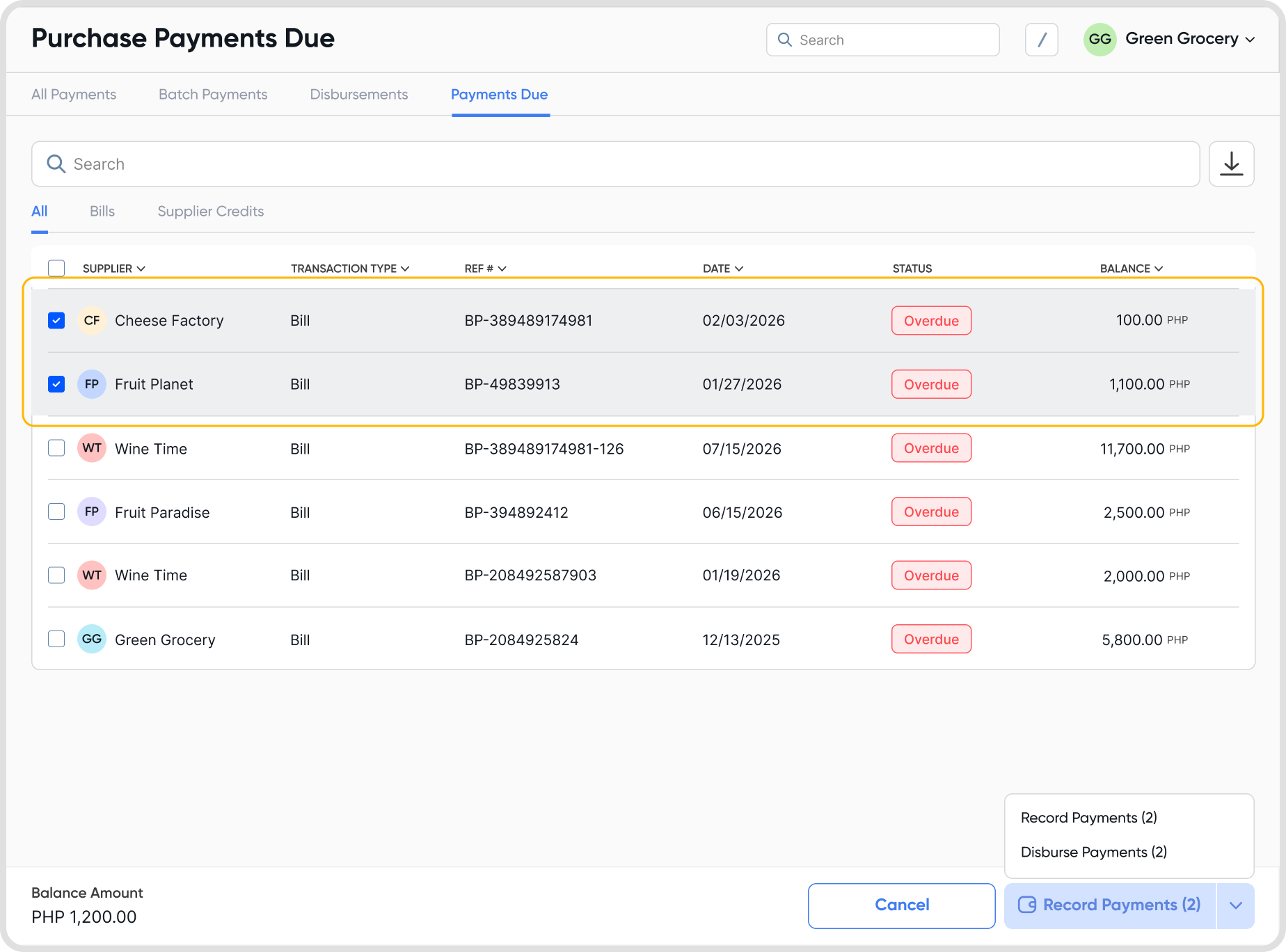
Select the bills you want to pay in Bills or Bills Payments and click Disburse Payments.
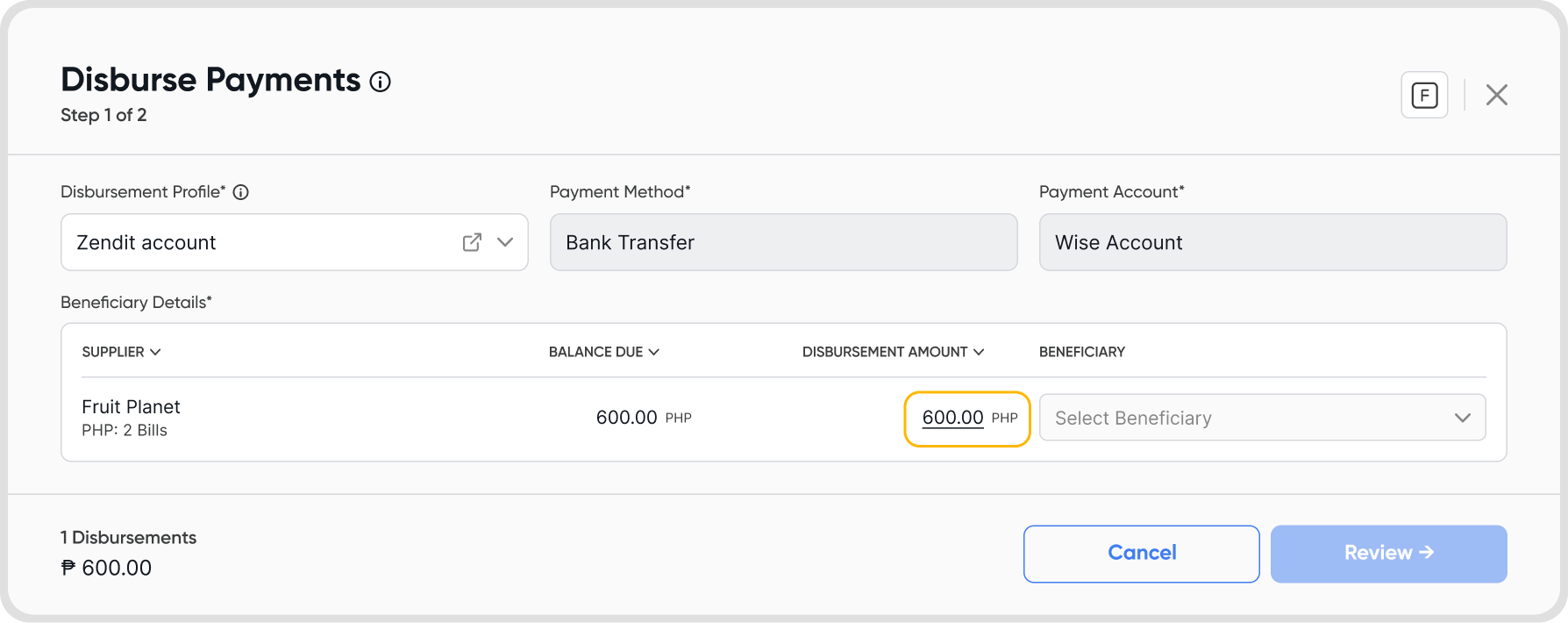
Add or select the beneficiary account for each vendor. This is the account where the payment will be sent. Review and then disburse.
When a payment is made, a payment record is automatically created and receipts are sent to both you and the supplier.
Q3. Can I partially disburse payments in bills?
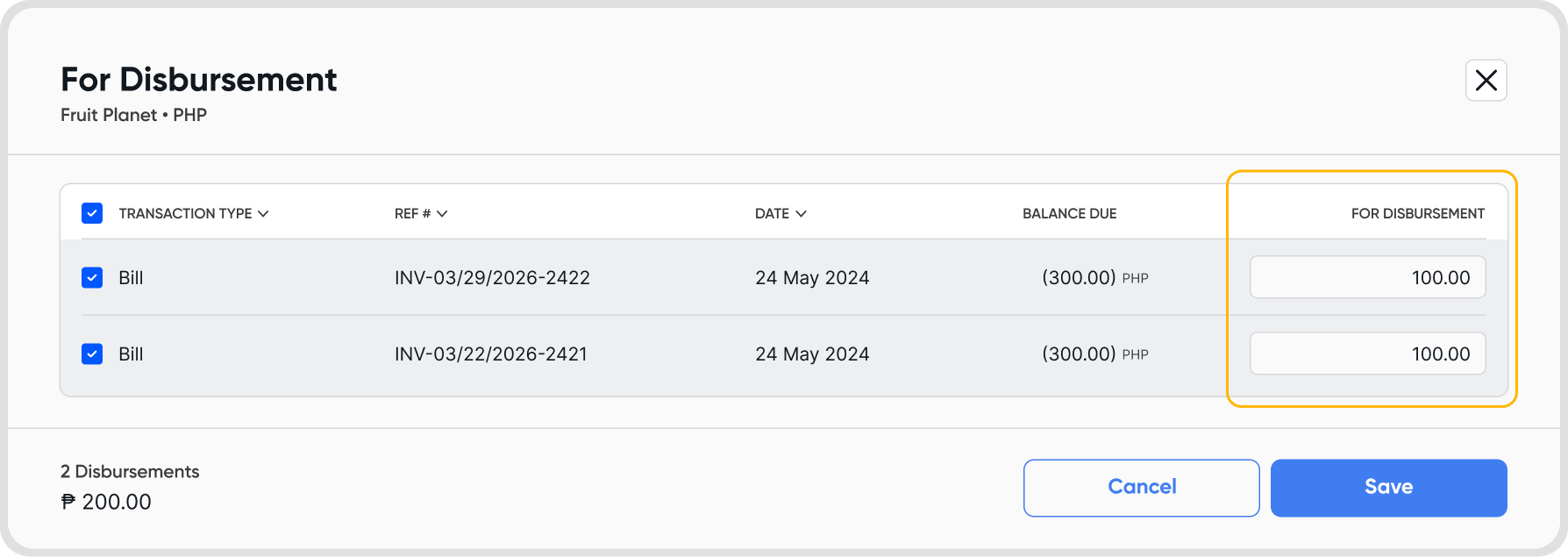
Yes. While on the disbursement screen, click on the amount field and enter the amount you want to disburse.
Q4. Is there a limit to the disbursement amount?
Per-beneficiary limits are determined by the payment rules of the selected gateway provider.
InstaPay: Up to PHP 49,999 per beneficiary per transfer
PesoNet: Typically up to PHP 500,000 per beneficiary per transfer for personal accounts; corporate accounts have higher limits
Note: PesoNet limits vary by bank and account type. Verify with the beneficiary’s bank. For example, BPI allows up to PHP 500,000 per transaction (personal) and PHP 20,000,000 per day (corporate).
Q5. Are there any processing fees for online disbursments, and who bears them?
Yes, processing fees apply and are paid by you as the user. If you’re interested about disbursement fee settings, please contact support at [email protected]
Q6. How long does it take for a bill payment to reflect in my supplier’s account?
Disbursement timing to the beneficiary depends on the gateway provider. For example:
InstaPay: Typically credited within minutes
PesoNet: Credited within the same banking day if sent before cut-off (around 9:00 AM to 4:00 PM); otherwise, by 12:00 PM the next business day
Q7. Where can I see my disbursement history?
Go to Purchases → Payments → Disbursements
You’ll be able to review the following:
Completed: view all successful disbursements
Action Needed: troubleshoot fault disbursements, usually due to insufficient amount in your payment service
In Progress: view all pending disbursements
Cancelled: view cancelled disbursements