This applies to organizations on the Free Plan.
If an organization records no transactions for 540 days, Juan sends a deactivation warning. The organization is deactivated on day 543. Deactivation suspends access to the organization but doesn’t delete its data.
If still no transaction is recorded, the organization and all its data are permanently deleted on day 600. This can’t be undone.
Your Juan account and your other organizations aren’t affected.
Note: Deactivation and deletion of inactive organizations are covered in the Terms of Use.
An entry that’s recorded and posted to the ledger and affects the ledger balance, such as an invoice, bill, credit note, payment, or journal entry.
Drafts, unsaved entries, and deleted, voided, or reversed transactions don’t count, and neither does anything else that doesn’t affect the ledger balance.
Signing in to the organization doesn’t count as a transaction.
Juan sends two emails to the account on file:
Deactivation warning: sent on day 540 with no transactions. The organization is deactivated on day 543.
Deletion warning: sent on day 597. The organization’s data is permanently deleted on day 600.
Note: Notices are sent on a best-effort basis, so keep your contact details up to date. Missing a notice doesn’t stop deactivation or deletion.
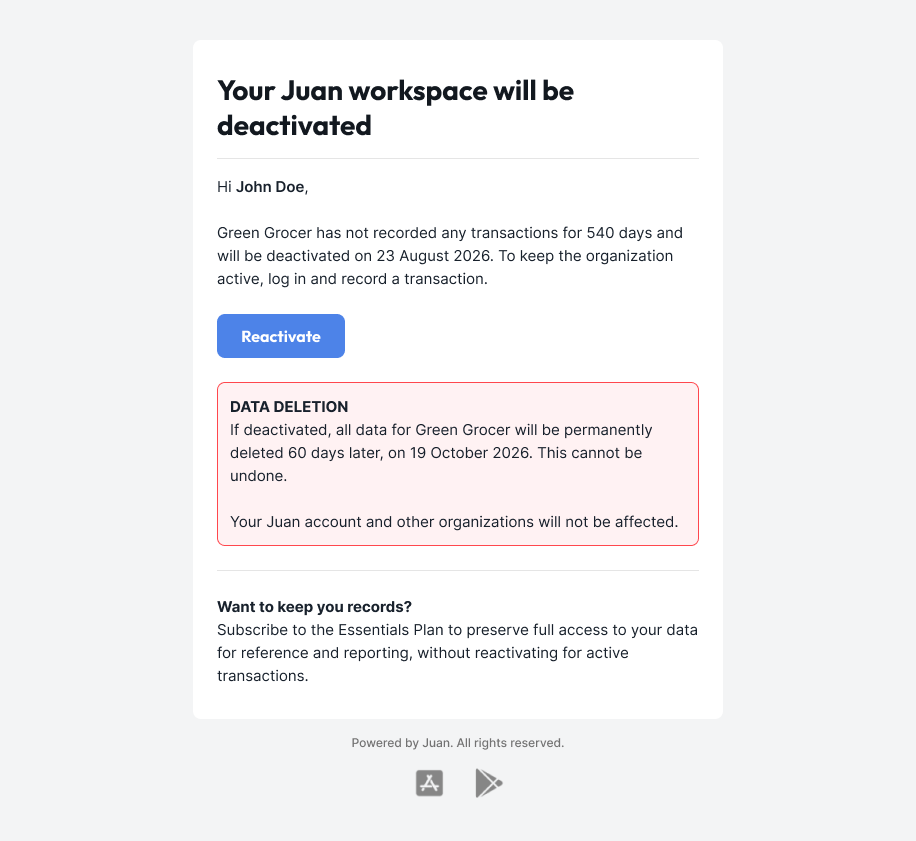
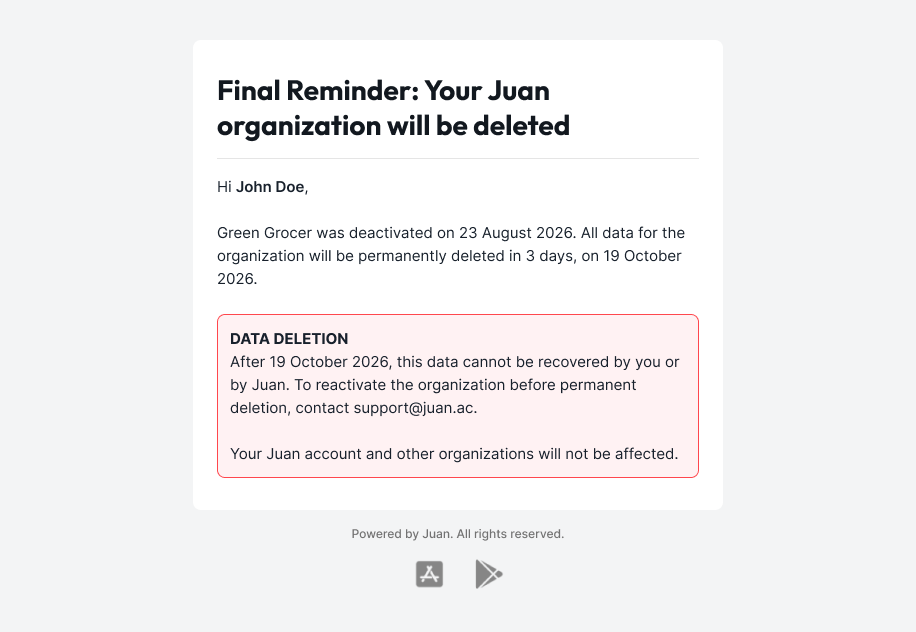
Record a transaction before the deactivation date. You can also click Reactivate in the email, then record a transaction.
Or subscribe to a paid plan. To keep full access to your records for reference and reporting without recording new transactions, subscribe to the Essentials Plan. See Plans and Add-ons.
Yes, before its deletion date. Contact [email protected] to reactivate it.
After the deletion date, the organization’s data can’t be recovered.
Export your records and reports before the deactivation date, while you still have access to the organization.
To export transactions, go to a transaction list view, filter or search for the records you need, click the arrow icon beside the records, then select Export Records. See Exporting Data.
To export reports, such as financial statements, sales and purchases data, and books of accounts, go to Reports. See Data Exports.
If your organization is already deactivated, contact [email protected] to reactivate it before the deletion date, then export your data.
Note: Some exports and features are only available on a paid plan. To export these, subscribe to a plan that includes them. See Plans and Add-ons.
Note: Exporting data doesn’t count as a transaction and doesn’t keep your organization active.
Tax returns filed in the organization are kept in line with legal record-keeping requirements, even after the organization is deleted.
To request a copy, contact [email protected].