Juan is always upgrading to serve our users better, so our offerings may change from time to time!
Get the latest information about our plans and the features offered by visiting our website at www.juan.ac.
The feature you are trying to use may not be available for your plan. For information on features that you can access with your plan, visit www.juan.ac/pricing.
You need to first create your Billing Account.
Once you’ve setup your Billing Account, head over to Settings > Organization > Plans & add-ons, click subscribe/manage plan.
Choose a plan to subscribe to
You can choose add-ons to go with your plans
During checkout, you can choose which billing account to use
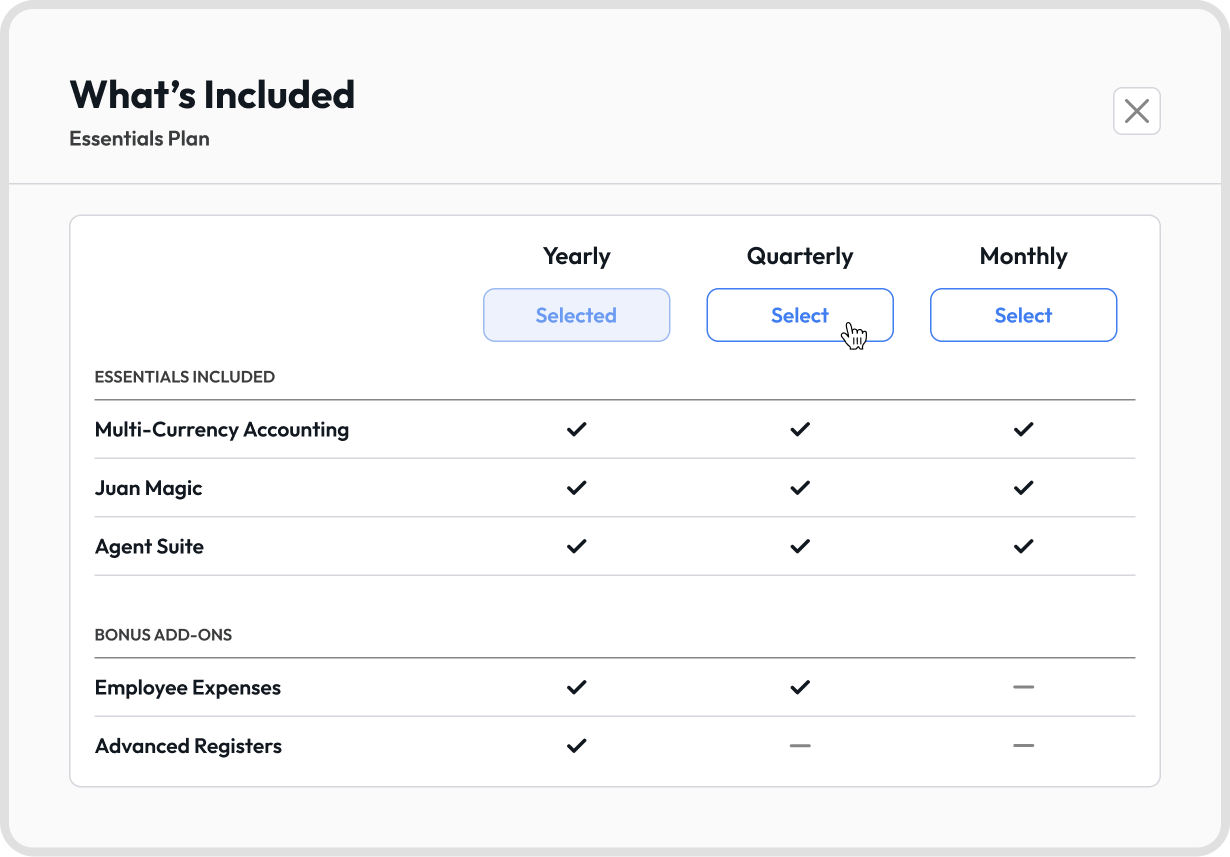
Set the billing frequency: Monthly, Quarterly, or Yearly. See Q4 for what’s included with each.


During checkout, click the Billing Frequency dropdown, then click What’s Included to compare.
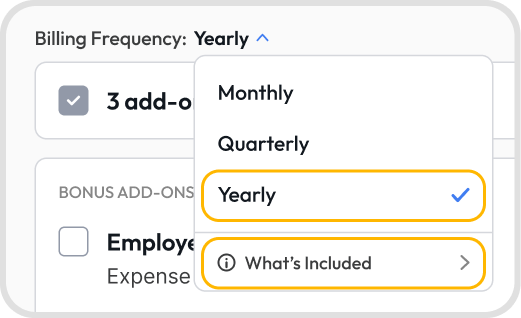
Bonus add-ons depend on how often you’re billed. They’re added automatically and shown under Bonus Add-ons at checkout.
On the Essentials plan:
Monthly: Multi-Currency Accounting, Juan Magic, and Agent Suite
Quarterly: everything in Monthly, plus Employee Expenses
Yearly: everything in Quarterly, plus Advanced Registers
To switch billing frequency, click Select under the one you want.
Go to Settings > Plans & Add-ons > Manage Plans
Tick the Extra Custom Users box and input the additional custom users you need.
You can recharge your account balance directly from the checkout experience.
Select the payment method and then add funds.


Your subscription will only renew automatically if you set up a billing account and transition to a recurring plan. You can manage this under Plans & Add-ons.