Yes, use the Bulk Payment or Batch Payment features on Juan to record payments for multiple bills in 1 go.
Select the desired balance due bills to use the bulk or batch payment feature.
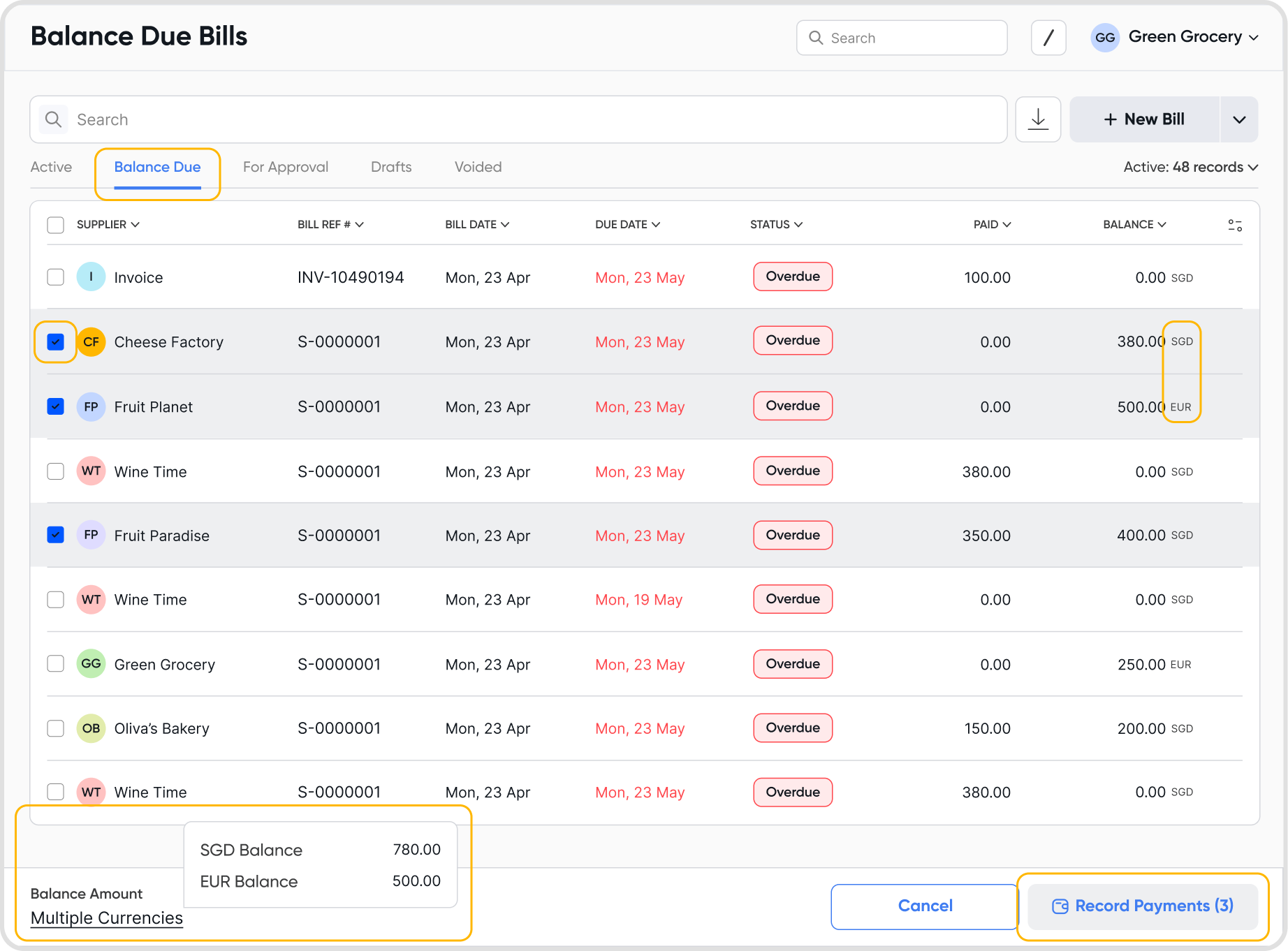
Yes, you can select and pay bills in various currencies simultaneously.
All the payments will be recorded in the selected payment account currency.
Bulk and Batch Payments both create a separate payment for each transaction and support partial, split, and cross-currency amounts. They only differ in bank reconciliation:
Bulk Payments: Each payment appears as a separate cashflow record
Batch Payments: Payments in the batch are aggregated into a single cashflow record
Update the 'Bill Payment Amount' while recording the invoice payment amount in the bulk/batch payments flow.
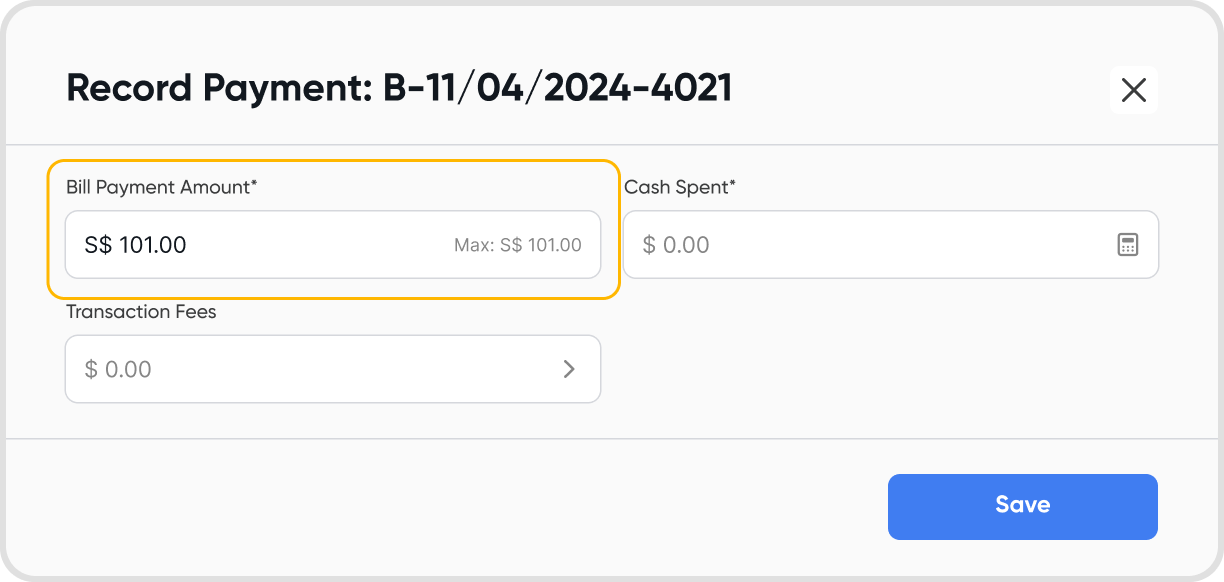
The payment currency will depend on the selected payment account's currency.
So, irrespective of the selected bill currencies, all the payment currencies will be the same as the payment account currency.
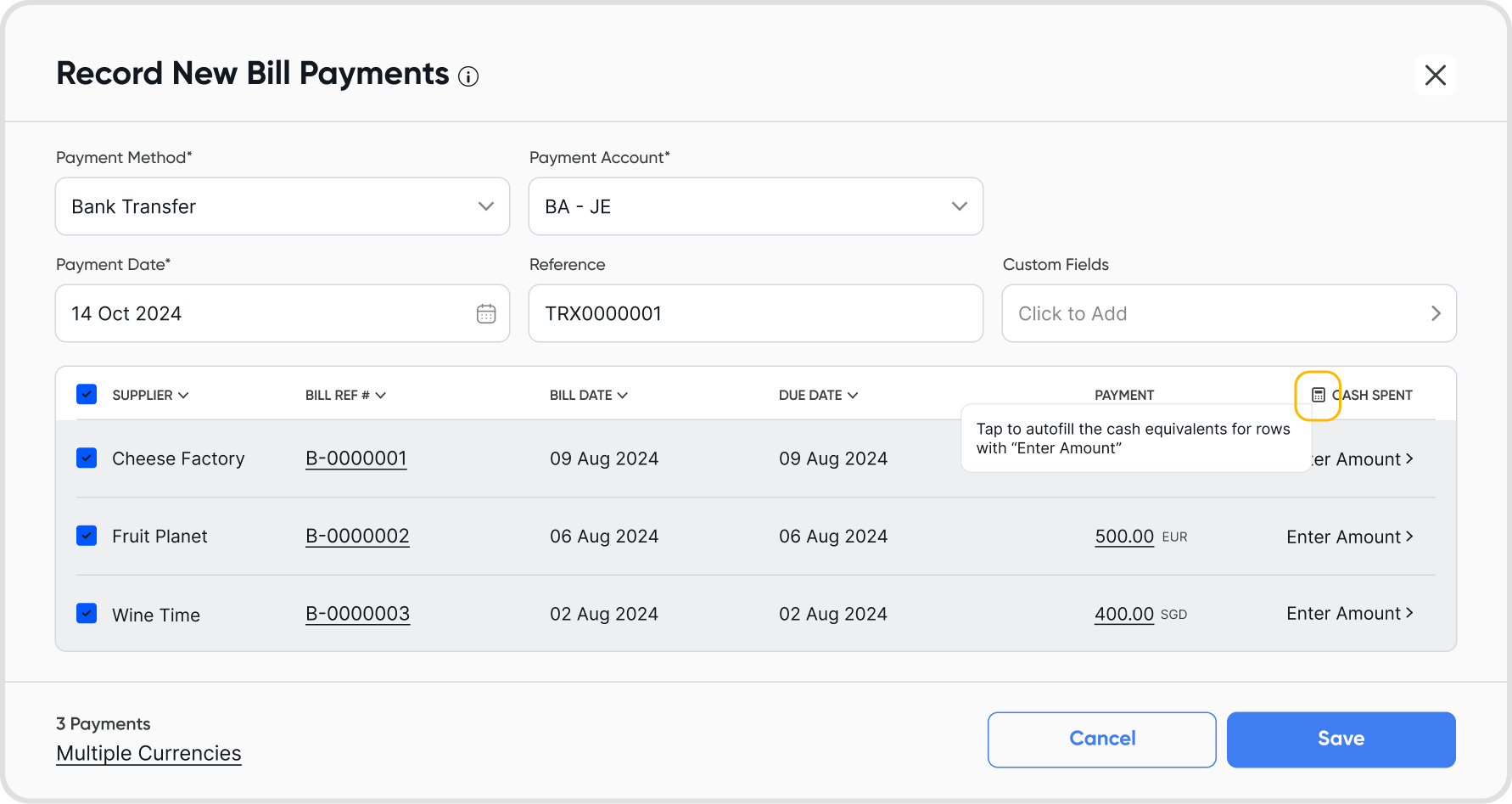
Yes, use the bulk/batch auto-fill feature to calculate the cash equivalent of the bill payment amounts to the payment amounts in the payment accounts currency.
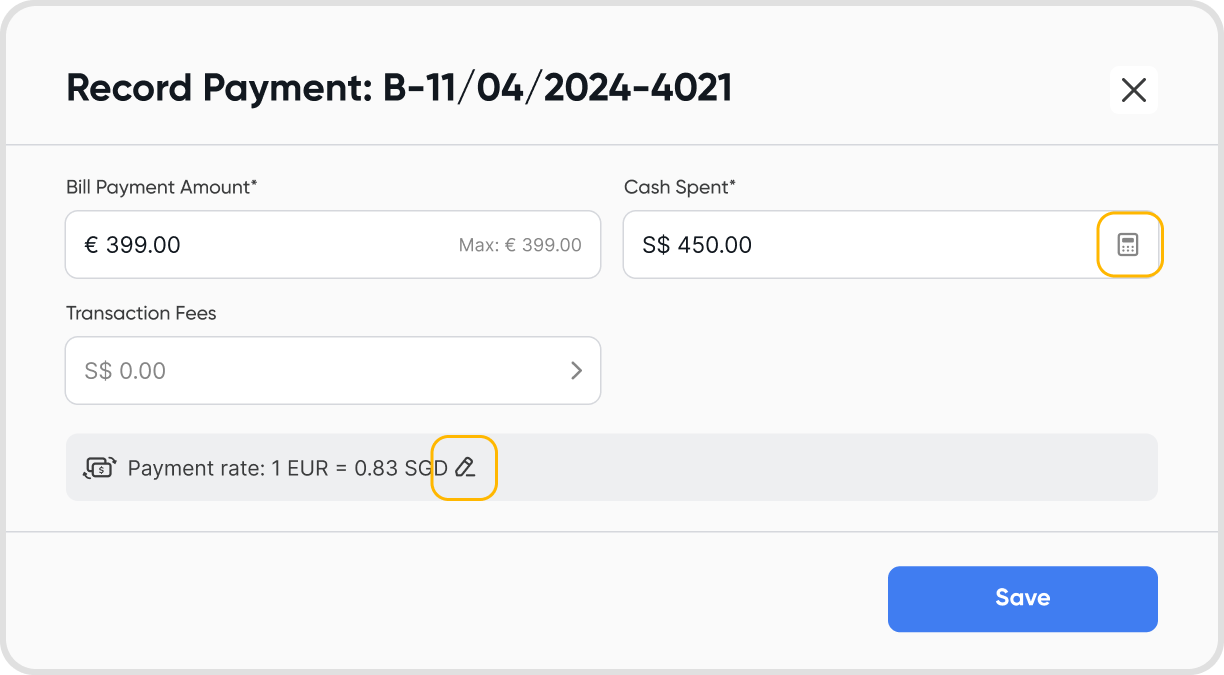
Alternatively, you can autofill the cash equivalent for each payment record
You can also set a custom rate for just a single payment record.
Yes, just like the normal payments flow you can add transaction fees during bulk/batch payment creation flow. Refer to transaction fee for more info.
Yes, like the normal payments flow if a payment is recorded in non-base currency, RGL can occur. Refer When does realized FX gain-loss (RGL) happen, and how is it calculated?
Yes, You can only select all the records present on a single page. So, if the page size is set to 200 records, you can select 200 bill records to create bulk/batch payments.
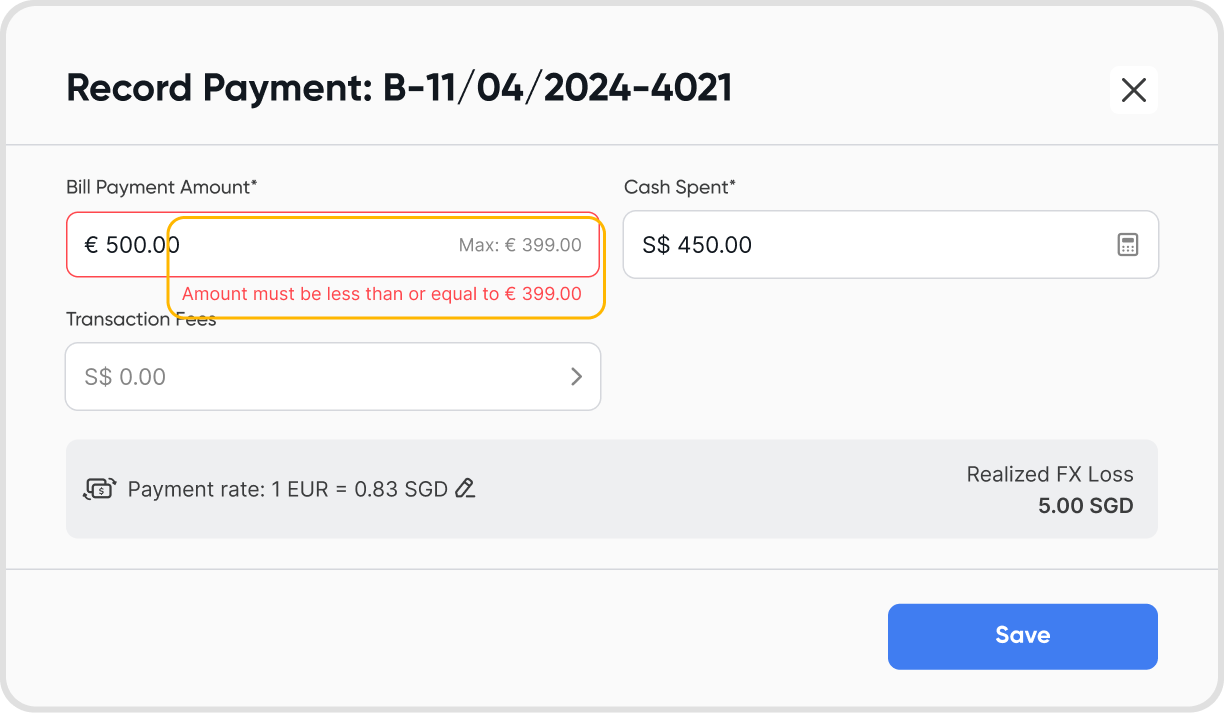
No, you cannot record overpayments. Juan will prevent you from entering a payment amount that is greater than the balance due on the invoice.
Find the payment record (either from the payments tab / find the bill against which the payment is recorded) and edit the details as needed.
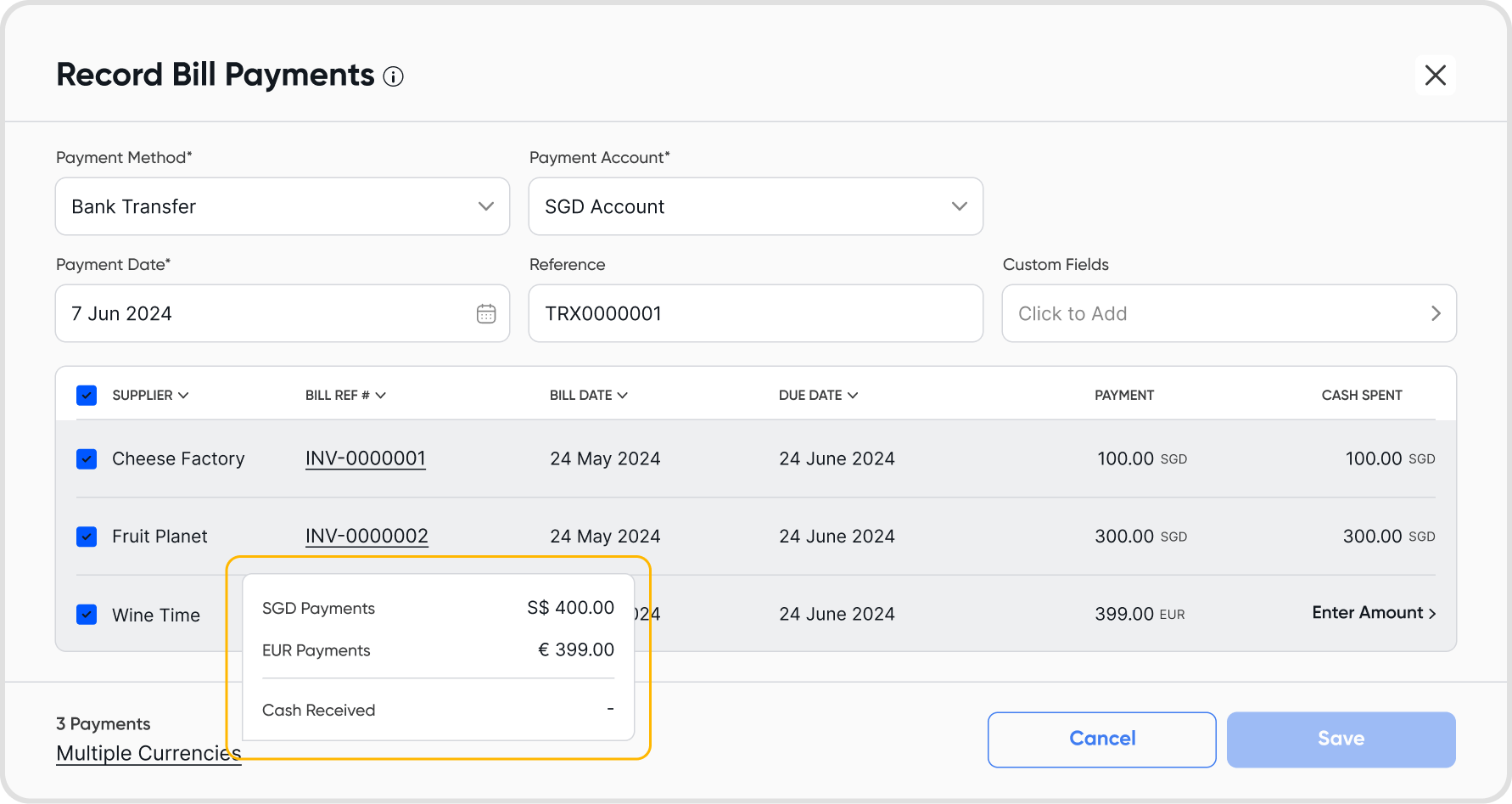
The "Payment" column reflects the bill's original amount due in its designated currency.
The "Cash Spent" column allows you to record the actual amount spent, which might differ due to exchange rate fluctuations in multi-currency scenarios.

When you click "Save" on the "Record Bill Payments" modal, the payments will be recorded and the bills will be marked as paid.
Yes, you can view the total cash spent during the bulk/batch payment flow. The total cash spent will be in the payment account currency.
No, bulk payments create 1 payment record for all the selected invoices.
Batch payments create a single payment for all the selected invoices.
Yes. Record it as an unapplied payment, then apply it to bills later.
