Q1. How do I apply a Creditable Withholding Tax Certificate (CWT) I received from a client?
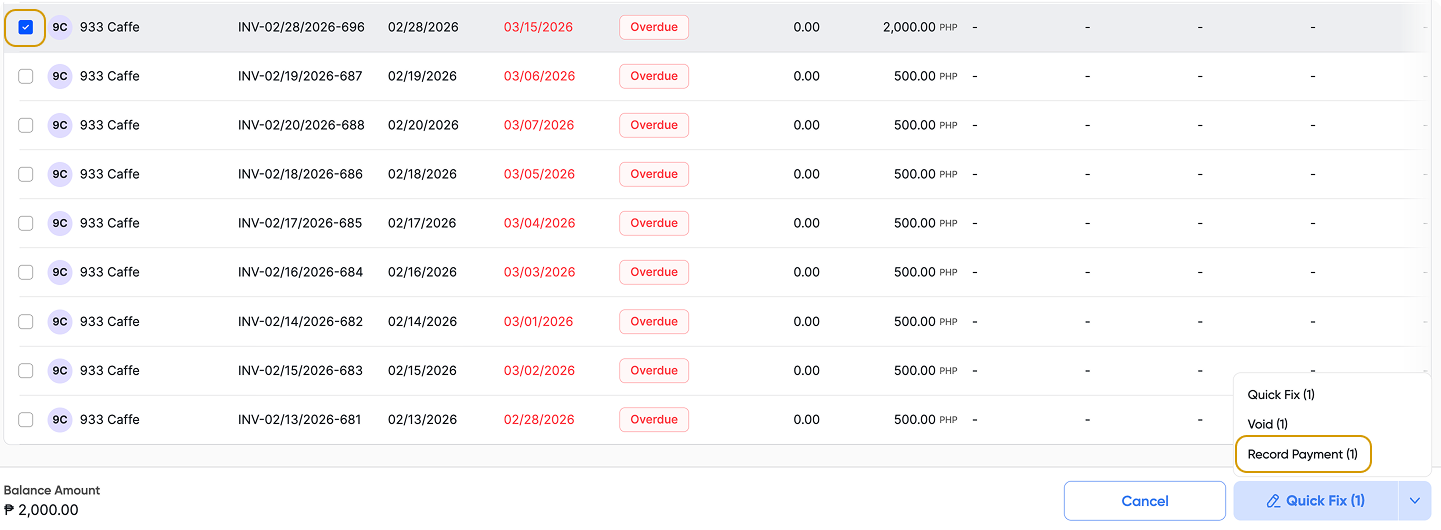
A CWT is a form of credits you can apply as payment to your invoice. Choose the checkbox of the invoice you wish to record CWT > click Record Payment > this will open the Batch Payment function.
Note: you can apply this to multiple invoices.
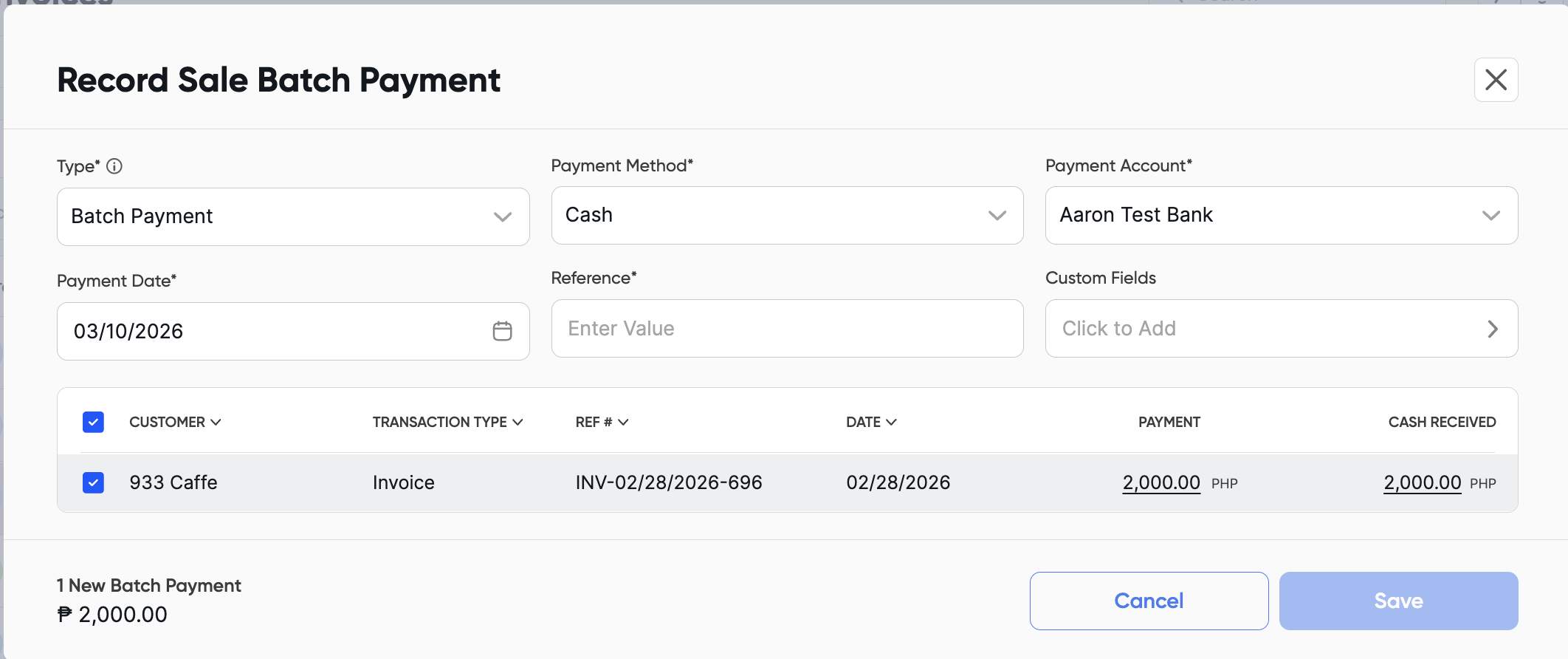
Click the Cash Received amount to edit it and enter the amount withheld by your client.
For example, if the invoice is ₱2,000 and the client withheld ₱200 (10%), change the cash received amount from ₱2,000 to ₱200.
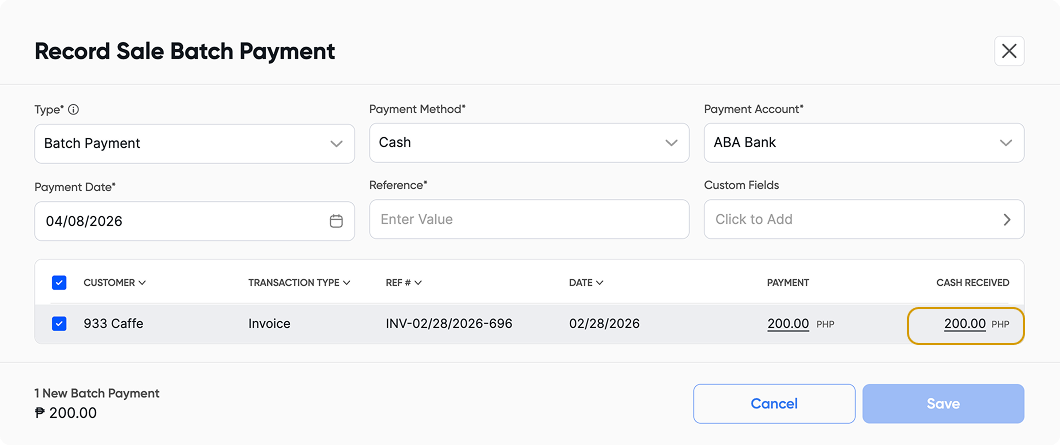
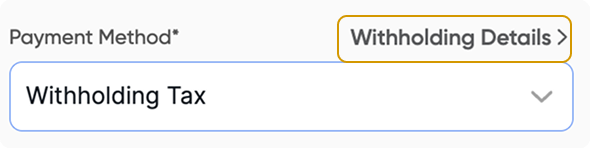
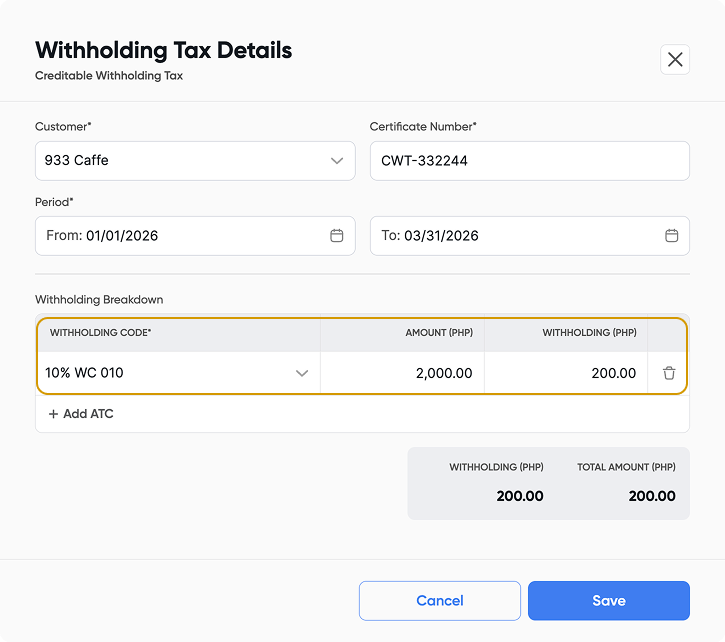
In Payment Method > Choose Withholding Tax > Click Withholding Details > Fill in all the details from the CWT > click Save
In the withholding breakdown, ensure that the invoice amount is entered in the Amount column, and the corresponding withholding value is placed in the Withholding column.
Also, verify that the selected period is accurate so these details are reflected correctly in the appropriate tax forms.