
Q1. What are signals?
Signals are patterns derived from a contact's historical transaction data. They surface potential anomalies before a transaction is finalized, helping you create or review entries more accurately.
Signals are purely informational and do not block saving or approving a transaction.
Signals are available on the following transactions:
Invoices
Bills
Customer Credit Notes
Supplier Credit Notes
Q2. How do I use signals?
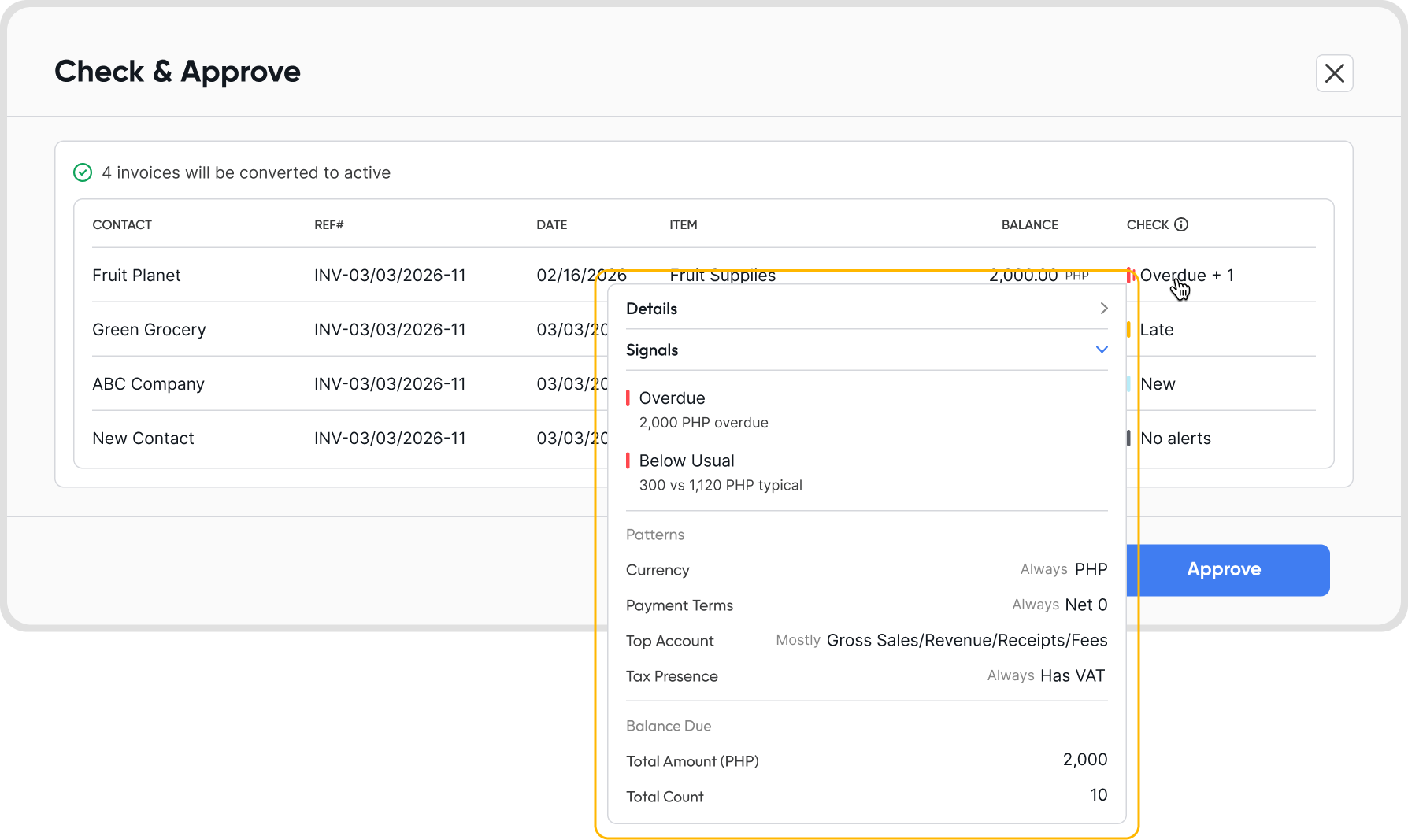
Signals automatically appear when you create or edit a draft transaction, open a transaction modal, edit an active transaction, or do a bulk check and convert on draft transactions.
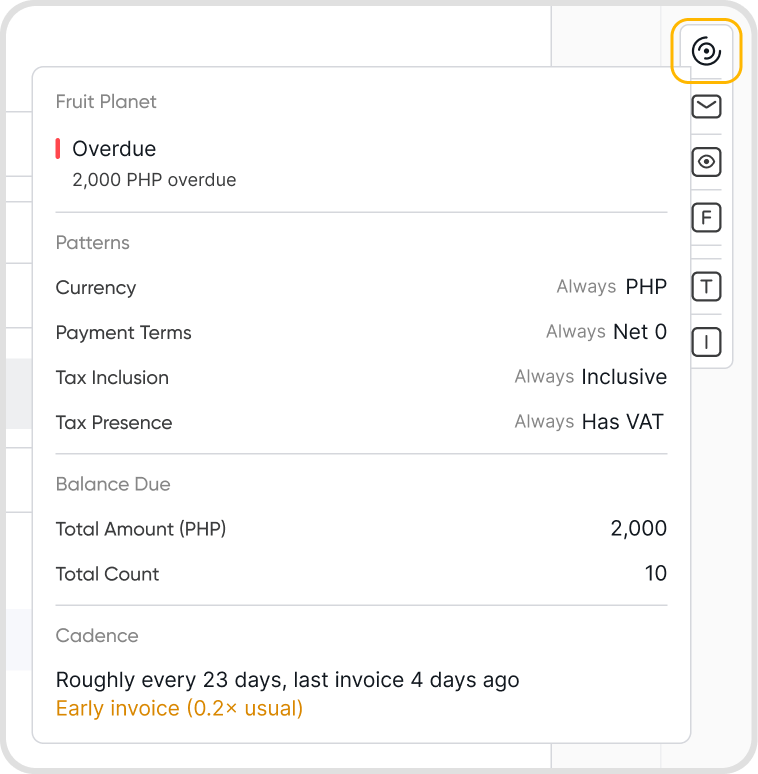
Look for the signal icon in the transaction modal, edit mode, or bulk check and convert screen.
Review the signal information to assess patterns or anomalies for the contact before saving or approving the transaction.
Note: Signals can be dismissed. They are informational only and have no impact on the transaction.
Q3. What information do signals show?
Signals surface the following details about a contact:
Overdue amount: total overdue balance, broken down by total amount and transaction count.
Patterns: currency, payment terms, and tax presence patterns identified from the contact's transaction history.
Cadence: how frequently the contact transacts, with context on timing (e.g., roughly every 5 days, last invoice 4 days ago, slightly early).