A Capsule Recipe turns a transaction into a complete schedule of future journal entries. Juan calculates the amounts, dates, and debits/credits automatically and posts each entry on its scheduled date.
All entries are grouped under one capsule, so the original transaction and every scheduled entry stay connected in one place.
This is useful for accounting events that span multiple periods. For example, a 12-month prepaid rent paid in full today but expense is spread and recognized monthly.
Start creating or editing a supported transaction (Invoice, Bill, Journal, or Direct Cash In).
Click on the capsule icon for each transaction
Invoice/Bill

Journal
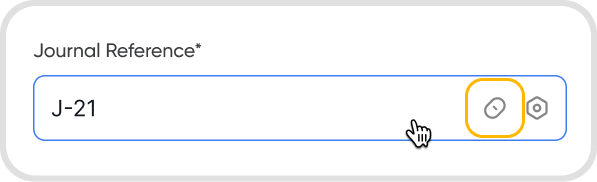
Direct Cash In
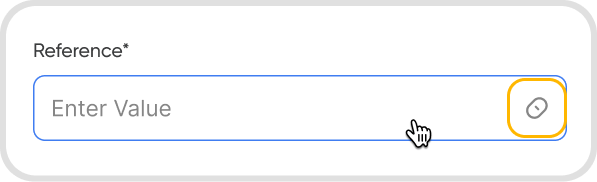
Choose to attach a recipe instead of a plain capsule.
Select a recipe.
Fill in the required fields. Amount and currency are pre-filled from the transaction.
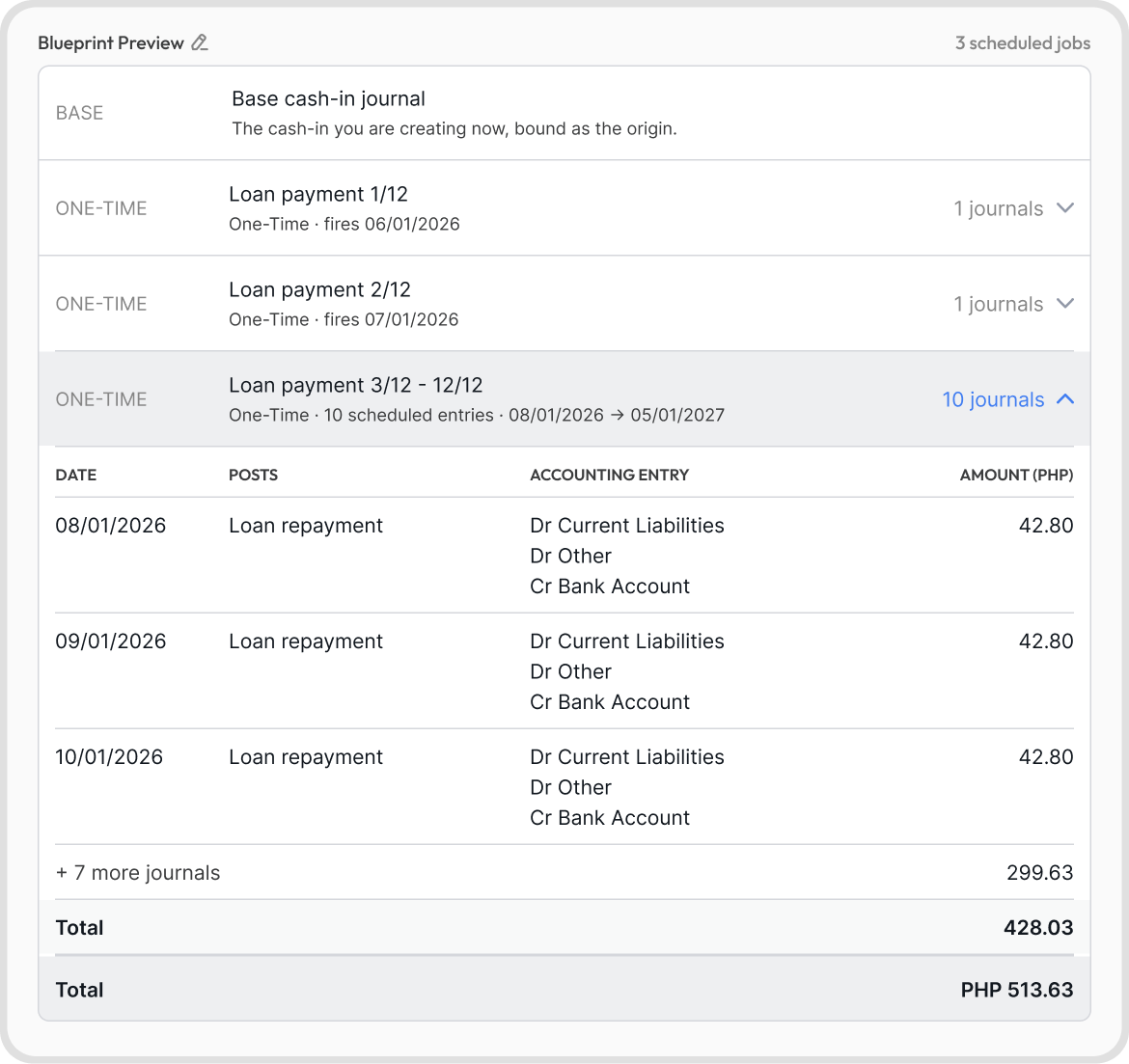
Review the live preview. Every scheduled entry, date, and total is shown before anything posts.
Save the transaction to create the recipe transactions.
Note: After saving, the Background Activity panel shows progress as Juan builds the schedule. Each entry then posts automatically on its date.
Your capsule will now be saved and accessible in Data Reports → Capsule.
The preview is a live summary of the full schedule. It shows every scheduled entry, its date, and the totals before you save. Nothing posts until you save the transaction.
Use the preview to verify the schedule is correct, including any rounding notes.
Capsule Recipe | Available In |
Loan Amortization | Journal, Direct Cash In |
Prepaid Amortization | Bills |
Deferred Revenue | Invoices |
IFRS 16 Lease | Journal |
Accrual & Reversal | Journal |
Loan Amortization schedules a monthly journal for principal and interest until a fixed-rate loan is fully repaid. It uses the effective-interest method, so interest is higher in early periods and decreases over time.
Use this recipe when the organization has taken a fixed-rate loan and wants the full repayment schedule booked automatically.
Available in Journal and Direct Cash In transactions.
Each monthly entry:
Line | Dr / Cr | Account |
Principal | Dr | Loan Liability |
Interest | Dr | Interest Expense |
Cash | Cr | Cash / Bank |
Note: The principal and interest split changes every month; the cash total stays the same. The final month closes the remaining balance to exactly zero.
Fields:
Required
Annual Rate (%)
Term (months)
First Payment Date
Loan Liability Account
Interest Expense Account
Cash / Bank Account
Optional
Loan Reference
Auto-filled
Principal and Currency
Prepaid Amortization spreads a prepaid expense across future periods. It splits the amount equally by default and switches to day-based pro-rata when coverage dates are supplied.
Use this recipe when the organization paid for something in advance (annual insurance, prepaid rent) and the cost should be recognized gradually.
Available in Bills only.
Each period entry:
Dr / Cr | Account |
Dr | Expense |
Cr | Prepaid Asset |
Fields:
Required
Periods (2 or more)
Frequency (monthly or quarterly)
First Amortization Date
Prepaid Asset Account
Expense Account
Optional
Coverage Start Date
Coverage End Date (both required to enable pro-rata)
Source Reference
Auto-filled
Total amount
Currency
Deferred Revenue releases upfront-billed revenue into the periods in which it is earned. It supports straight-line or day-based pro-rata splitting, similar to Prepaid Amortization.
Use this recipe when the organization billed a service in advance (annual subscription) and revenue should be recognized period by period.
Available in Invoices only.
Each period entry:
Dr / Cr | Account |
Dr | Deferred Revenue |
Cr | Revenue |
Fields:
Required
Periods (1 or more)
Frequency (monthly or quarterly)
First Recognition Date
Deferred Revenue Account
Revenue Account
Optional
Coverage Start Date
Coverage End Date (both required to enable pro-rata)
Source Reference
Auto-filled
Total amount
Currency
Note: Deferred Revenue assumes a single performance obligation. For contracts with multiple distinct obligations, set up a separate recipe per obligation.
IFRS 16 Lease handles the full life of a lease across four accounting stages: initial recognition, monthly payments, monthly Right-of-Use (ROU) depreciation, and the annual reclassification of the upcoming 12 months of liability from non-current to current.
Use this recipe when the organization leases an asset (vehicle, equipment, property) and needs full IFRS 16 lease accounting over the term.
Available in Journal transactions only.
Accounting stages:
Stage | Entry |
Recognition (once, at start) | Dr ROU Asset; Cr Lease Liability (current and non-current) |
Payment (each period) | Dr Lease Liability (principal); Dr Interest Expense; Cr Cash |
Depreciation (each period) | Dr Depreciation Expense; Cr Accumulated Depreciation |
Annual Reclass | Dr Lease Liability non-current; Cr Lease Liability current |
Fields:
Required
Lease Term (months)
Discount Rate (%)
ROU Asset Account
ROU Accumulated Depreciation Account
Current Lease Liability Account
Non-Current Lease Liability Account
Interest Account
Depreciation Account
Cash / Bank Account
Optional
Payment Timing (arrears or advance; default is arrears)
Lease Reference
Auto-filled
Monthly payment
Commencement date
Currency
Accrual & Reversal records an estimated cost at period-end and automatically reverses it on the first day of the next period, so the real invoice is not double-counted when it arrives.
Use this recipe when the organization needs month-end accruals for costs that are known but unbilled (utilities, services).
Available in Journal transactions only.
Per period:
Step | Entry |
Accrual (period-end) | Dr Expense; Cr Accrued Liability |
Reversal (day 1 of next period) | Dr Accrued Liability; Cr Expense |
Fields:
Required
Periods
Accrual Frequency (monthly or quarterly)
Expense Account
Accrued Liability Account
Optional
Amount Per Period (%)
Estimation Basis
Source Reference
Auto-filled
First Accrual Date
Total amount
Currency
Straight-line splits the total amount equally across all periods. Pro-rata splits it based on the actual number of days in each period.
Pro-rata applies to Prepaid Amortization and Deferred Revenue only, and activates when both a Coverage Start Date and Coverage End Date are supplied. Leave the coverage dates blank for an equal split.
Juan gives each regular period a clean rounded amount and lets the final period absorb the small remainder, so the schedule always sums to exactly the original total. The preview shows a note whenever this applies (for example, "Final period absorbs PHP 0.01 rounding").
This applies to Prepaid Amortization, Deferred Revenue, and IFRS 16 Right-of-Use (ROU) depreciation.
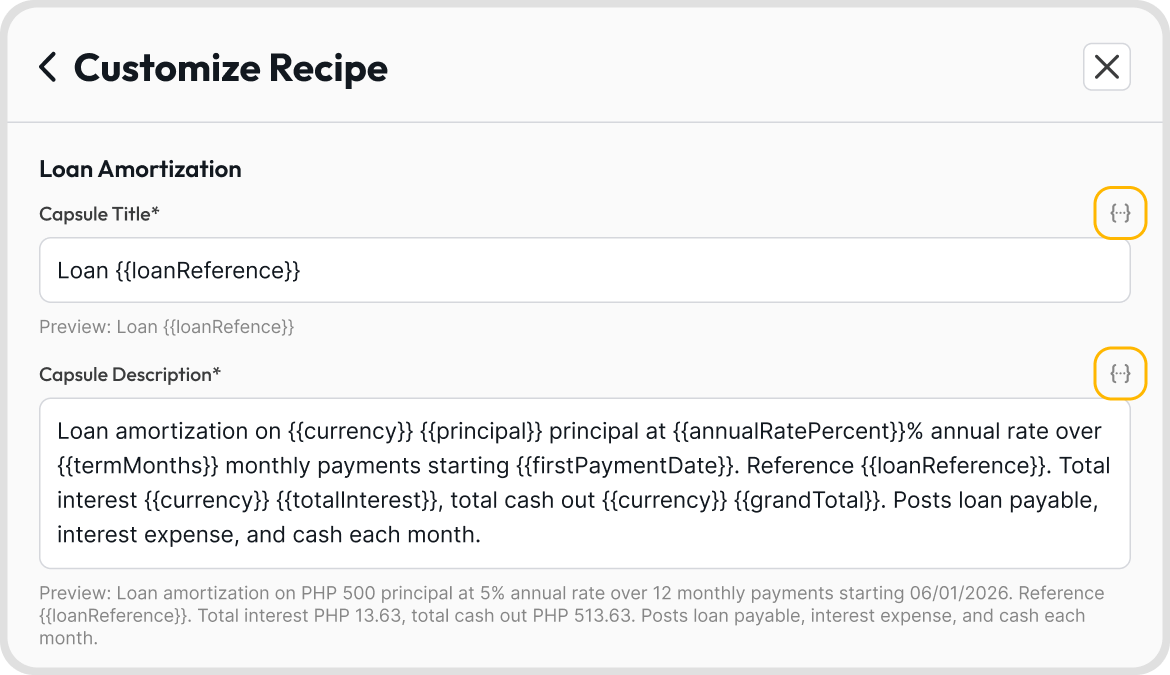
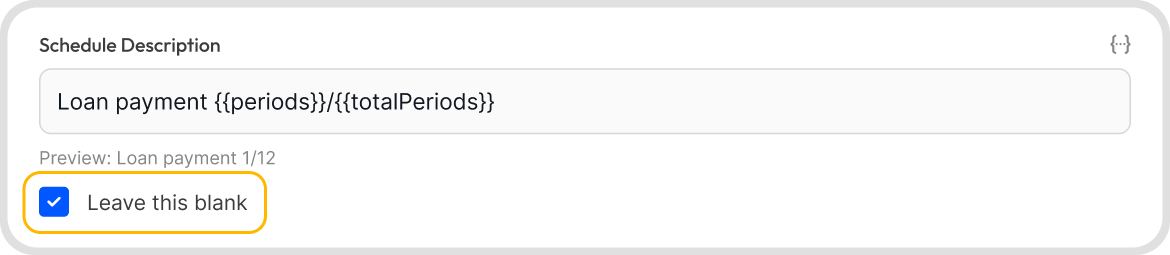
Yes. The optional Customize Recipe step lets you edit:
The capsule title and description
The posts label on each scheduled entry
The per-line descriptions in the journal (Loan Amortization and IFRS 16 Lease)
The schedule reference shown in the Schedules tab
Leave fields blank
You can insert auto-filling placeholders (such as the reference, amount, or period number), remove optional text entirely, or reset everything to the default wording.

The blueprint preview is the place to verify the schedule before committing. Once saved, there is no in-app edit or undo option for a posted capsule. If a correction is needed after posting, contact support.
Yes, but the capsule must be empty before it can be deleted. To do this, go to Reports → Capsules → open the capsule → void or deactivate all transactions inside it first.
Once empty, the Delete option becomes available.
If you want to keep the transactions, you can move them to another capsule before deleting.
If something goes wrong during the build, Juan automatically rolls back any entries already created. The books are never left partially updated. Correct the inputs and run the recipe again.
Under IFRS 16, a lease liability must be split into two portions: the amount due within the next 12 months (current) and the amount due beyond that (non-current). Juan books both at the start of the lease and moves the upcoming 12 months from non-current to current once a year. This is the Annual Reclass stage.
Both accounts are required regardless of lease length to keep the split consistent.
No. Each recipe runs in a single currency, taken automatically from the base transaction. For a multi-currency arrangement, set up separate recipes per currency.
