
Q1. What are background tasks?
Background tasks are created when you perform bulk actions (using checkboxes in transactions) in Juan. It processes those actions for you in the background.
Q2. How does a background task work?
Your bulk actions are processed in the background, so you can continue using Juan while the task runs.
You can check the status anytime in the top-right corner of the app by clicking the background tasks icon.
Q3. What statuses can a background task have?
Success: All actions were completed with no errors
Partial: Some actions were successful, some had errors
Error: All actions failed
Q4. How long does a background task process bulk actions?
It depends on the size of the task, but most tasks are completed within a few seconds.
Q5. What happens if there are errors?
If there are errors:
Valid actions will still be completed
Invalid actions will be skipped
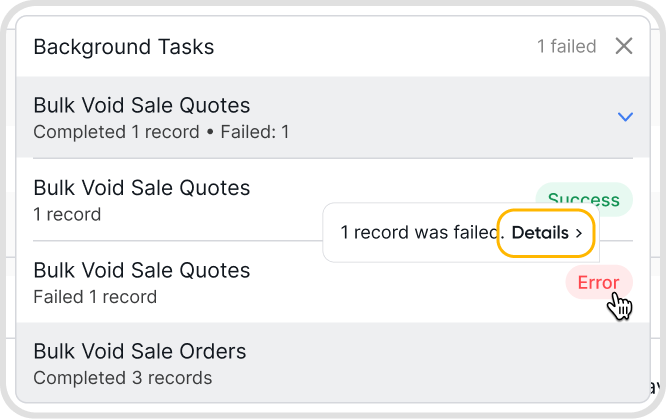
The task will show a Partial status. Click the task to view error details and fix any issues
Q6. I don’t see the background task icon or log anymore. What happened?
The background task log resets whenever your session refreshes. This happens when you refresh the page or close Juan.