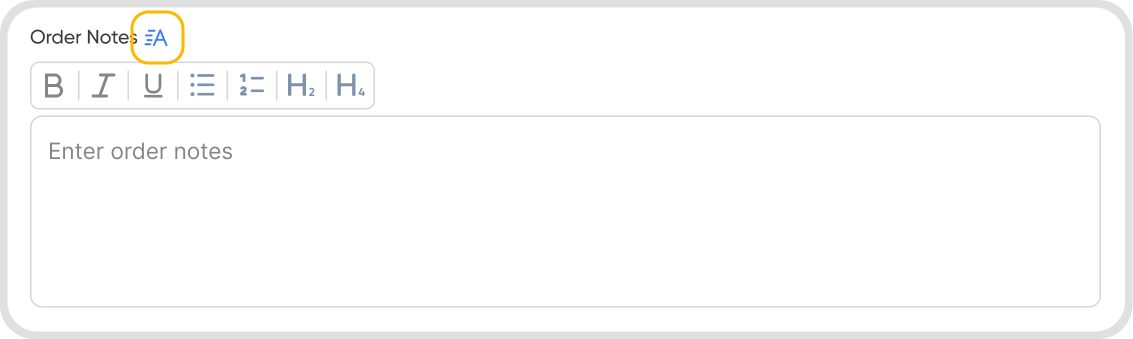
Q1. Can I edit and customize Order Notes?
Yes. Click the customize icon in the Order Notes field. Use the available options to configure your order’s notes.
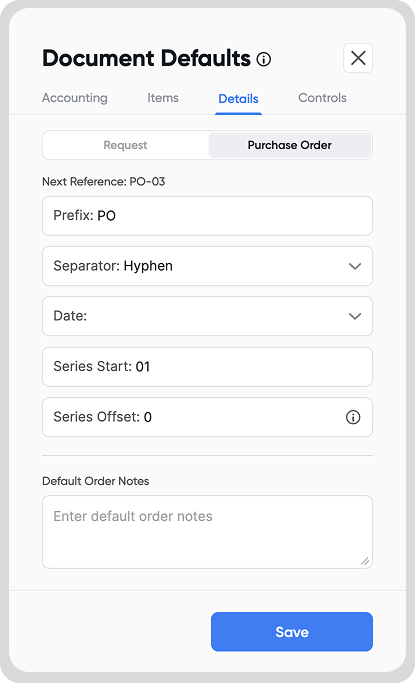
Q2. How can I set default Order Notes?
Open an order in Edit mode → go to Order settings (Cmd/Ctrl + B) → Document Defaults → Details → Order
Set your default Order Notes
Note: Default notes will only apply to newly created orders and will not update existing ones
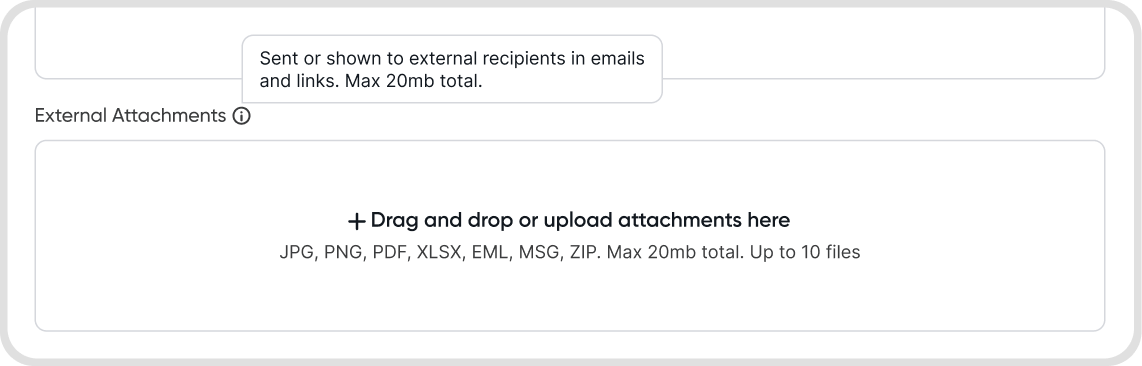
Q3. Can I include attachments to my Purchase Order email?
Yes. Upload files under External Attachments to include them when emailing a Purchase Order.
You can upload up to 10 files, with a maximum total size of 20 MB per order.