Purchase Orders are external documents sent to suppliers to confirm a purchase of goods or services.
Note: Purchase Orders are created prior to billing and do not affect ledgers.
Purchase Orders sit between Purchase Orders and Bills in the flow: Purchase Request → Purchase Order → Bill
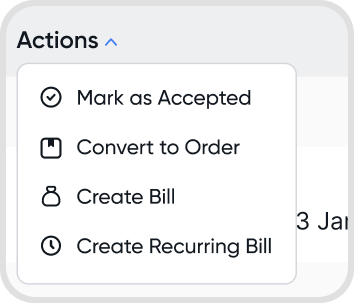
A Purchase Order can be created from a Purchase Request or as a standalone order. It can also be converted directly into a Bill.
Purchase Orders in Juan goes through three stages: Pending → Bill Due → Active
Pending: The order has been created from a request or directly
Note: Can be converted directly to an Bill
Bill Due: The order is ready to be billed or fulfilled
Active: Shows all currently active orders.
Each order stage includes specific statuses that reflect progress:
Pending
Created: order has been created from a request or directly.
Bill Due
Confirmed: order is confirmed and can be converted to an Bill.
Partial: a part of the order amount has been billed.
Active
Includes all Bill Due statuses
Full: the order amount has been fully billed.
An order can be created in two ways:
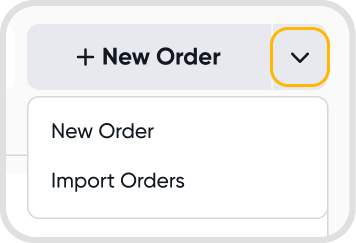
Direct: Go to Purchases → Orders → Purchase Orders → + New Order
Convert from Purchase Request: Choose a Purchase Request → Convert to Order
Note: This associates Purchase Orders to a request.
Fill in the required details and Save.
Purchase Order Reference
Order Date
Items
Note: The QTY field supports up to 4 decimal places.
Yes. Go to Purchase Orders → + New Order dropdown → Import Orders.
Download the Excel template, fill in the details, and upload the completed file.
Each row imports based on the purchase order reference. Rows sharing the same reference are grouped into a single purchase order.
Review all instructions in the Excel workbook before importing.
After uploading:
Juan displays a review screen before finalizing the import.
Rows with errors are flagged and excluded. Only valid rows will be imported.
Confirm the import to post the eligible entries.
You can assign Orders permissions in Access Management.
Yes, trial includes 50 orders, Orders, and requests on the Essentials Plan, with the option to purchase an add-on to remove any limits.
