Search operators help you quickly find specific records in Juan by refining your search parameters.
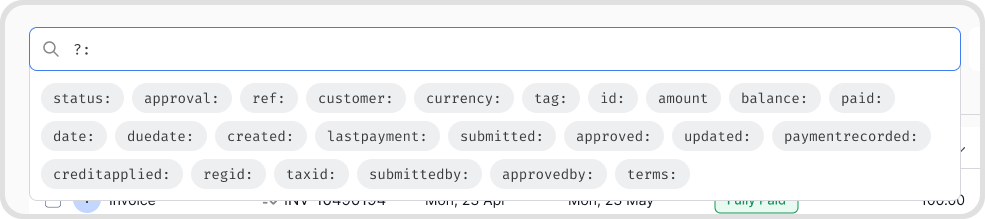
These are the commonly used operators:
Search operators can be used in all Juan features with a search bar in it such as business transactions, journals, bank records, and more.
Type operators directly into the search bar or click the operator icon.
The basic format is as follows: <operator>:<keywords>
Example: contact:fruit planet
Note: there should be no space before and after the colon “:”
Note: the easiest way to use it is by typing “?:” which will open all the possible operators in the feature you are currently in.
To combine different operators, you can use the following combine functions:
AND: Shows results that match both conditions
Example: “amount:PHP500+ AND contact:Fruit” — will show results that has an amount of 500+ with contacts that has the keyword Fruit
OR: Shows results that match either condition
Example: “contact:Fruit OR contact:Pacific” — will show results that has either of the two.
NOT: Excludes results that match a condition
Example “amount:PHP500+ NOT customer:Fruit” — will show results of amounts of 500+ of contacts that don’t have “fruit” in their name.
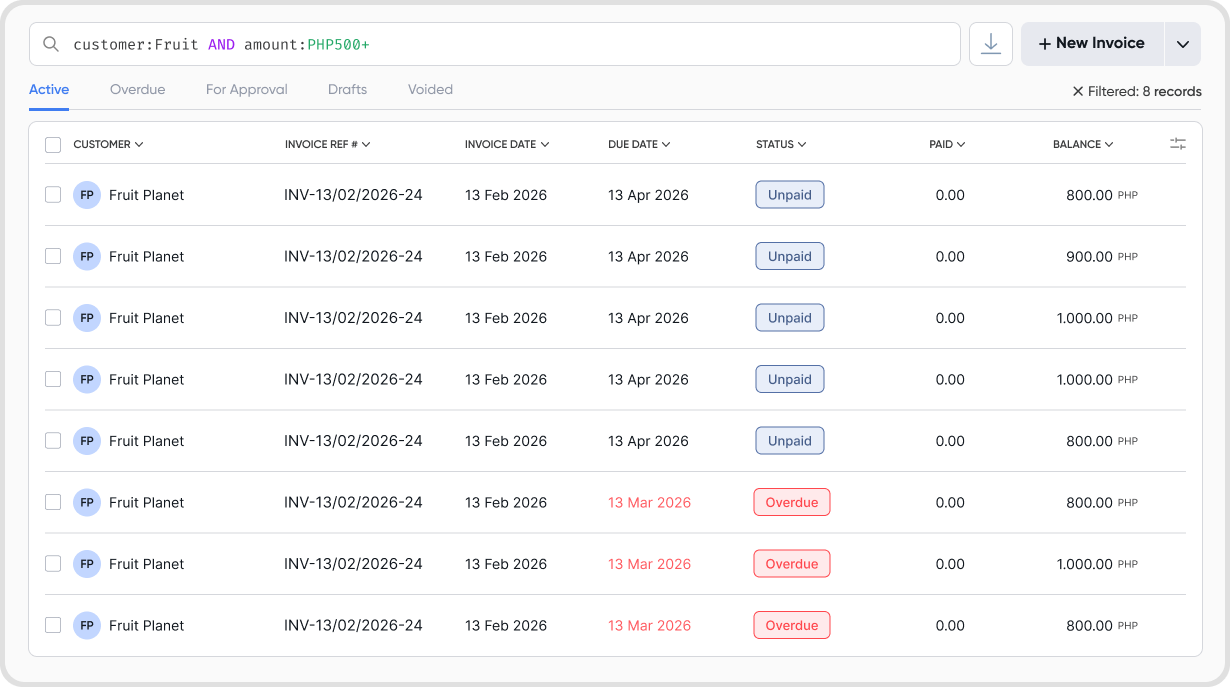
There is no limit to how many operators you can combine.
The key term input will be highlighted in red if the entry is invalid.

Search operators and keywords are not case sensitive.
