
Q1. What is an Activity Log?
The Activity Log is Juan’s audit trail feature. It provides an AI-generated summary of all changes made to a record.
It shows what was changed, who made the change, and when it was updated.
Q2. Where can I access the Activity Log?
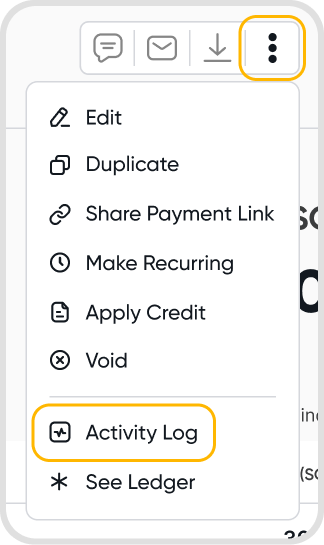
Open a record, click the three-dot icon, and select Activity Log. The Activity Log is available for most records in Juan.
Q3. What can I expect to see in the Activity Log?
A summarized view of all changes made to the record, including what was updated, who made the change, and when it occurred.
Q4. Can I download the Activity Log?
No, downloads are not yet supported.
Q5. Is the Activity Log editable or deletable?
Activity Logs cannot be edited or deleted.
Q6. Does the Activity Log update instantly?
The Activity Log updates automatically whenever changes are made to a record.