
Q1. How do I create a Paymongo account?
If you don’t have a Paymongo account yet, follow these steps
Use this link to sign up for a PayMongo account.
Have one of the valid primary IDs handy and get ready to take a selfie for verification.
Verification usually takes a few minutes
Once verified, you can now connect Paymongo to Juan
Q2. How do I connect my Paymongo account to Juan?
Follow these simple steps to connect Paymongo to Juan
Log in to your PayMongo Dashboard.
On the left side menu, go to Developers > API Keys.
Copy your Secret Key.
In Juan, go to Settings > Configurations > Online Payments.
Click on + Connect Gateway.
Select PayMongo, paste your Secret Key, and Save.
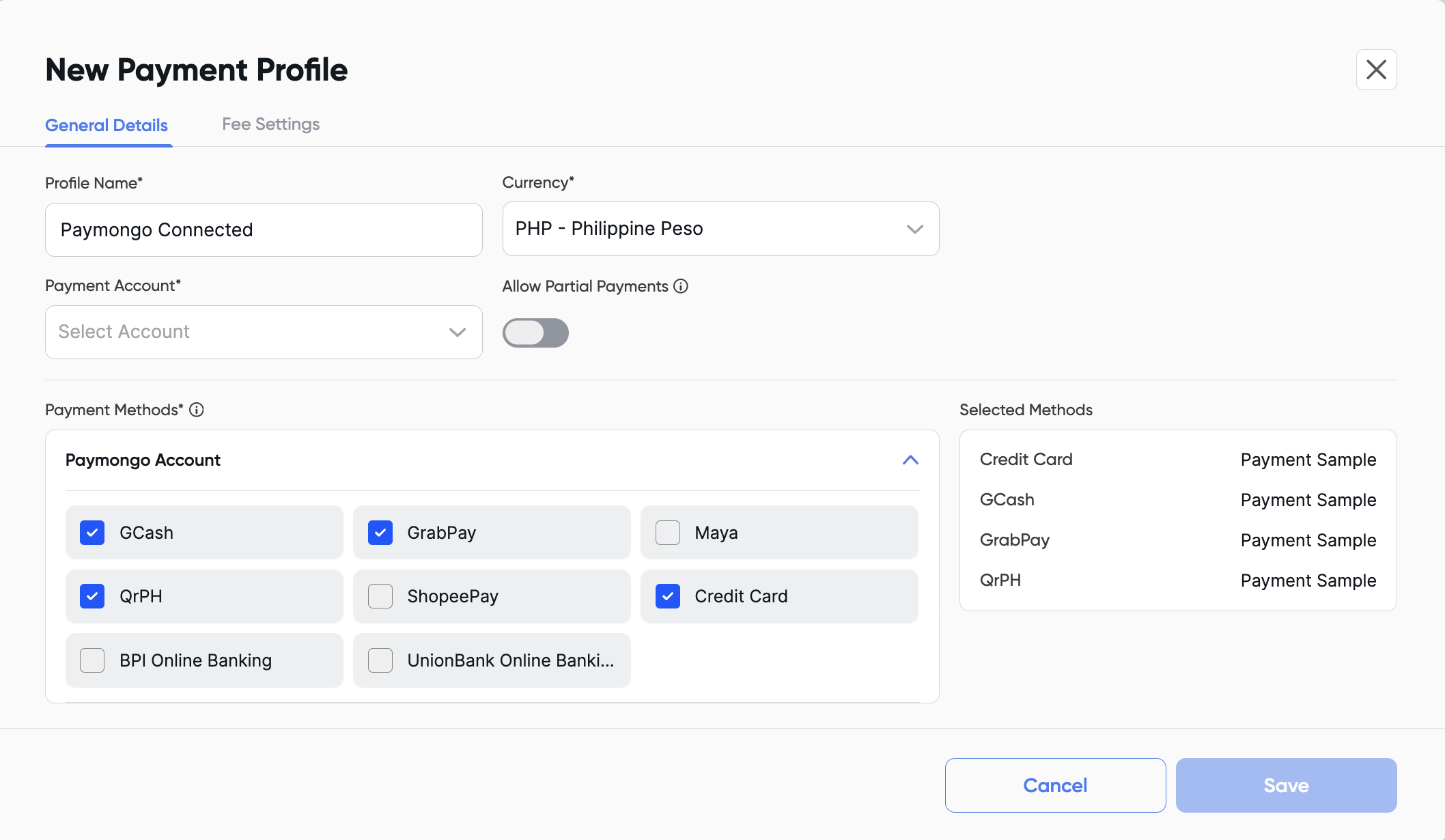
Next, create a Payment Profile and select the PayMongo account you just connected. Then, choose which payment methods you want to enable so customers can pay your invoices.
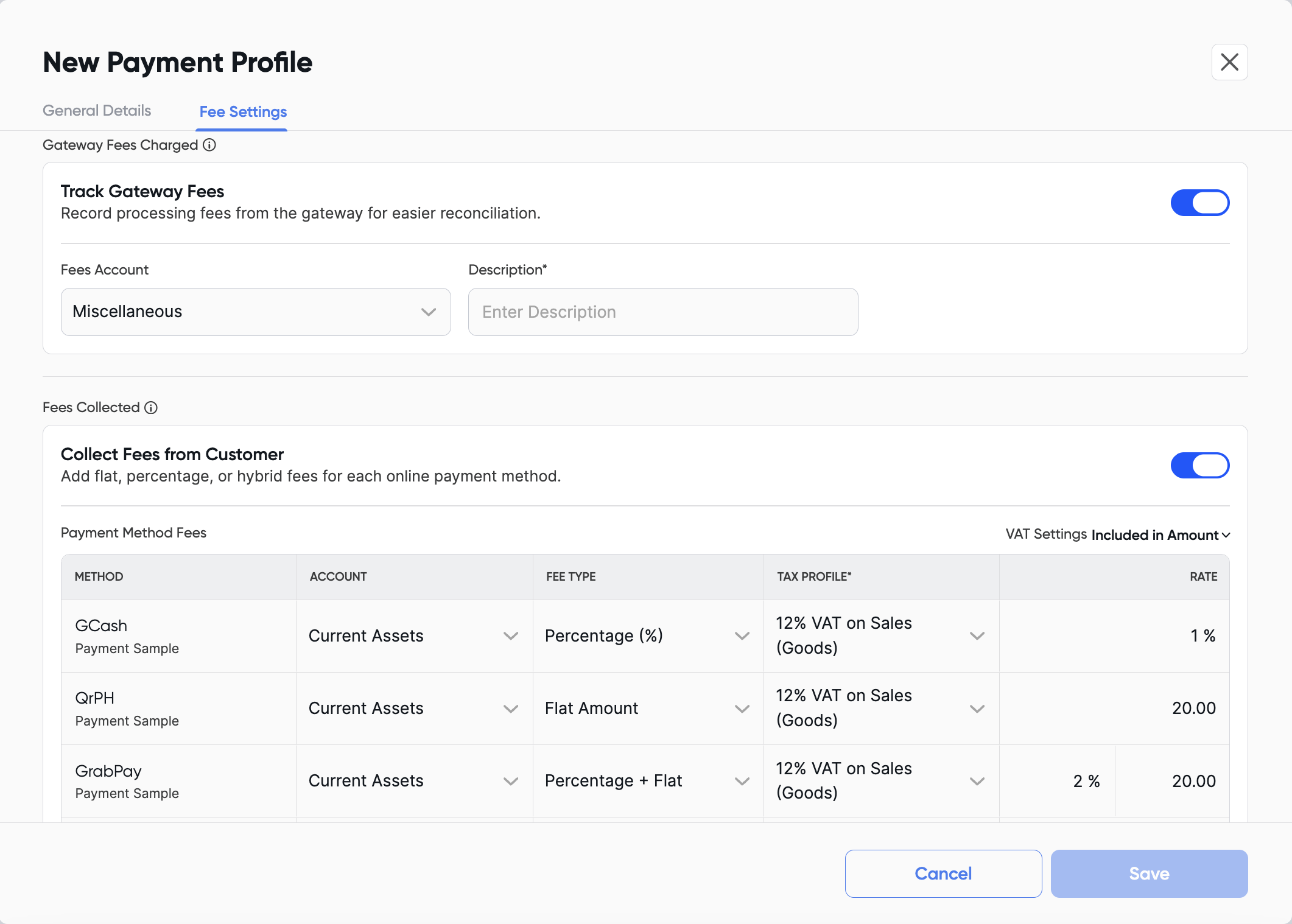
You can also configure additional fee settings, such as tracking gateway fees, assigning the correct Chart of Accounts (COA), setting different fee types and accounts per payment method, and enabling VAT settings if you collect VAT on these fees.
Q3. What payment methods are available?
By connecting Paymongo to Juan, your clients will have various convenient ways of paying your invoices such as e-wallets, bank transfer, credit card, and QR PH
You can view more in-depth detail into online payment experience here.
Q4. Is this available on the Free Plan?
Yes, connecting Paymongo to Juan is available for all users.
Q5. Is it safe to connect Paymongo to Juan?
Yes. Paymongo is a trusted payment provider, and Juan only connects to securely process and record payments.
Q6. Are there additional fees for using Paymongo payments?
Juan does not charge extra for this feature. Paymongo may apply standard transaction fees depending on the payment method.
Q7. Will payments be recorded automatically in Juan?
Yes. Once a customer pays, the payment is automatically recorded in Juan, with receipts and entries generated for you.