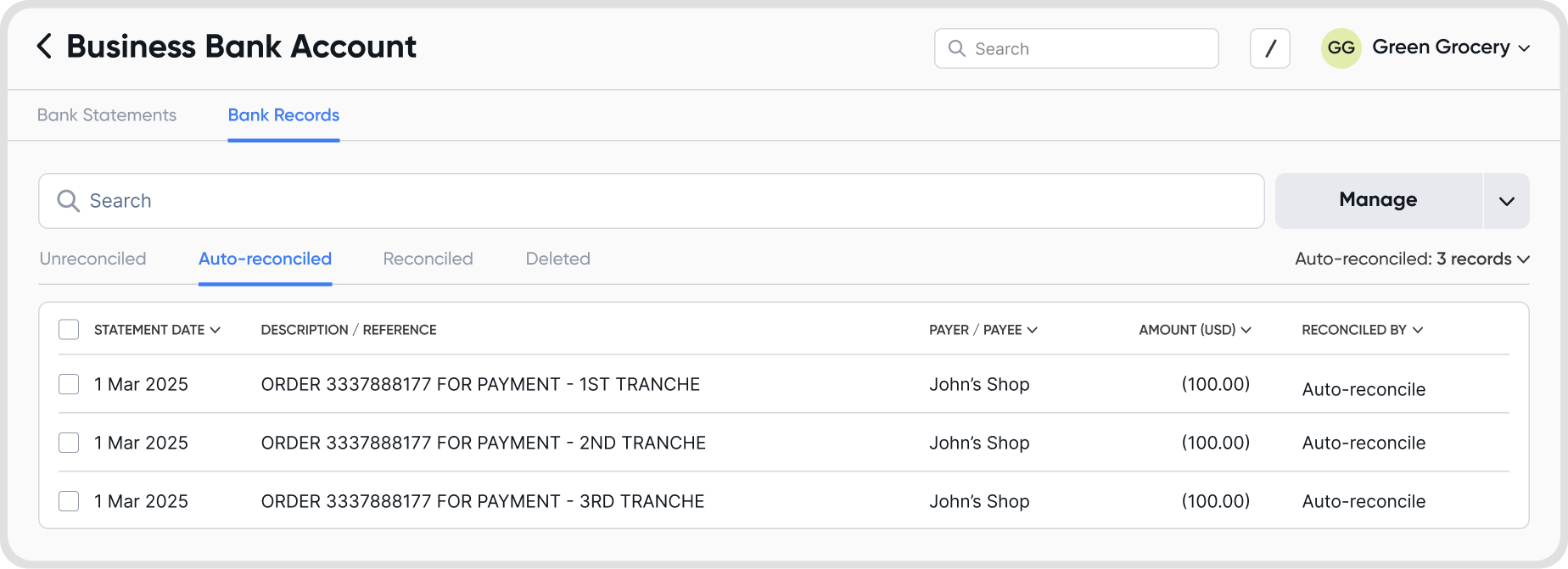
Auto-reconcile automatically matches and reconciles eligible bank feed transactions based on your set rules, reducing manual reconciliation work.
Go to Reconciliations > Bank Records.
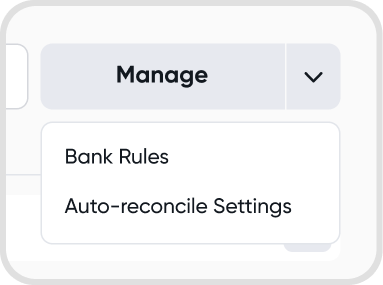
Select a bank account, then open Manage > Auto-Reconcile Settings.
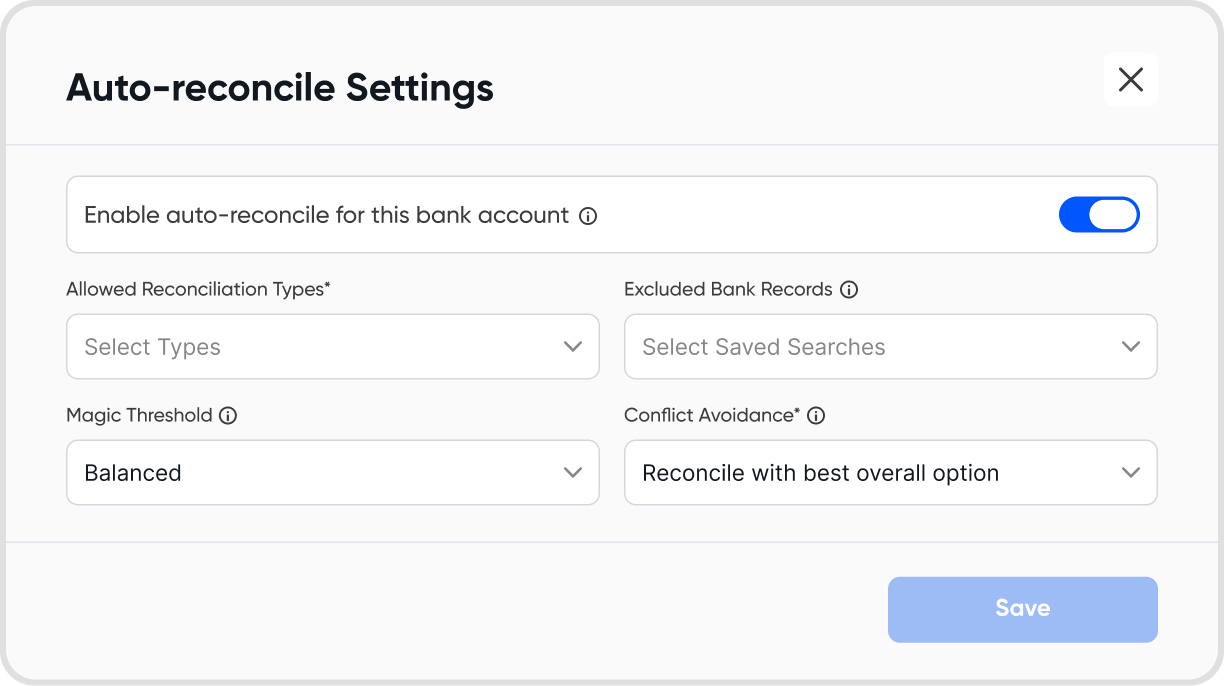
Configure how auto-reconcile should work for the selected account.
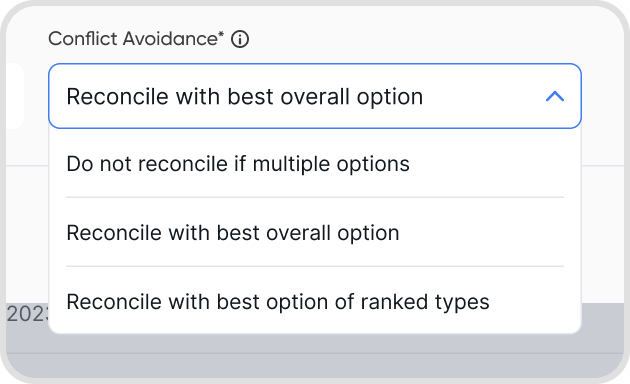
You can define rules that control how auto-reconcile works, including:
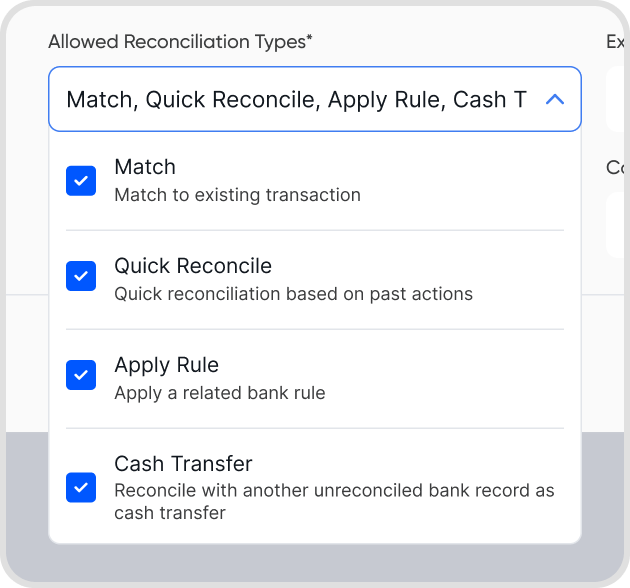
Allowed reconciliation types:
Match: Match to an existing transaction.
Quick Reconcile: Reconcile automatically based on past actions.
Apply Rule: Apply a related bank rule.
Cash Transfer: Reconcile with another unreconciled bank record as a cash transfer.
Excluded bank records:
Exclude bank records that match specific conditions using Saved Search.
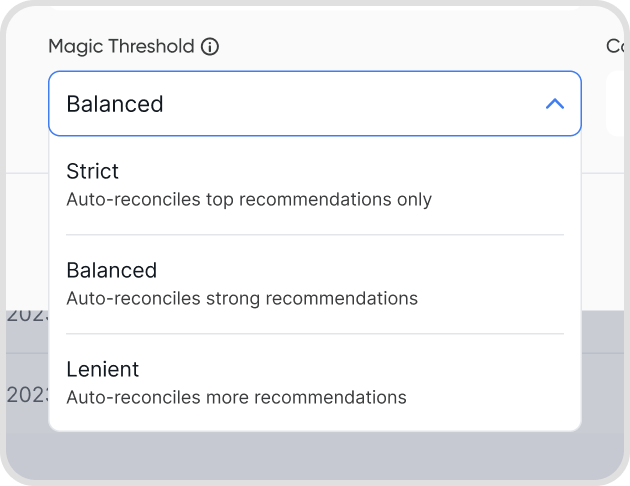
Magic threshold:
Strict: Auto-reconciles only top recommendations.
Balanced: Auto-reconciles strong recommendations.
Lenient: Auto-reconciles more recommendations.
These settings determine which transactions are automatically reconciled when auto-reconcile runs.
Auto-reconcile runs automatically every day at midnight.
You can also trigger auto-reconcile manually at any time.
Yes. Auto-reconcile runs in the background.
Closing the app or losing internet connection will not stop the auto-reconciliation process.
Each auto-reconcile run creates an Auto-Reconcile tab.
This tab lists all transactions that were automatically reconciled.
You can review the results, make adjustments if needed, and mark transactions as reviewed to confirm the reconciliation.