Clio stands for Command Line Interface Operator, an AI assistant that helps you with accounting and finance tasks in Juan.
No, Clio is available only for paid organizations.
Click the Clio icon at the bottom left of the sidebar.
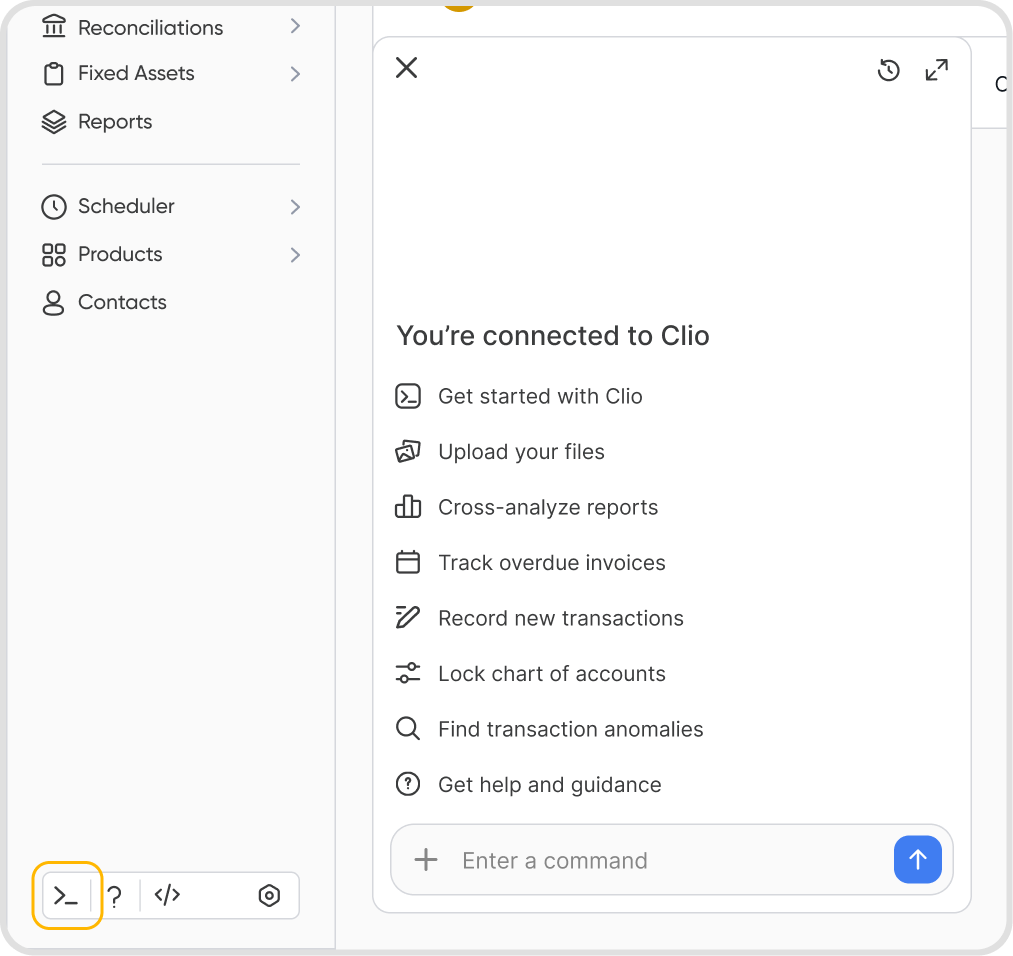
No, Clio is available on the web app only.
Clio processes queries in real time. Query data is not added to your accounting records or reports unless you instruct Clio to do so.
Yes, you can instruct Clio to process records on your behalf.
Clio shows the details for review and asks you to confirm before anything is saved. Nothing is posted without your confirmation.
Clio can only act within your access permissions, so it cannot perform actions your role does not allow. For example, if you do not have report access, Clio cannot generate reports for you.
Your chat history is saved and remains available when you log back in.
Chats are tied to the organization they were created in, so switching organizations shows only that organization's chats.
Yes, Clio can process multiple tasks in a single query.
Yes, Clio's functionality is limited to tasks and features within Juan.
Its functions are also limited to the user’s access permissions within an organization (e.g., a user without report access cannot generate reports).
Clio supports all languages available in Juan.
Yes, past chats are saved and accessible from the Clio panel.
Chat history cannot be downloaded or exported.
Yes, open the chat you want to change, click the 3-dot icon, then select Rename or Delete.
Deleted chats cannot be restored.
Editing a query replaces the previous one instead of updating it.
Clio supports all file formats supported in Juan. This includes:
PDFs
Excel
JPG/JPEG
PNG
Yes, Clio's functionality is limited to tasks and features within Juan.