
Q1. How can I reset reconciliations? What happens to the corresponding business transaction records? Will it impact my financial reports?
The corresponding business transaction records previously used for matching will be unmatched.
There will be no further impact on your financial reports. However, previously created transactions such as journal entries used for adjustments will remain recorded.
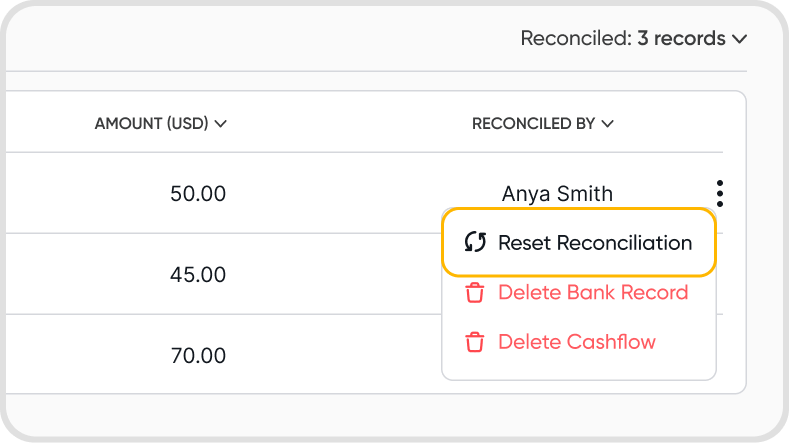
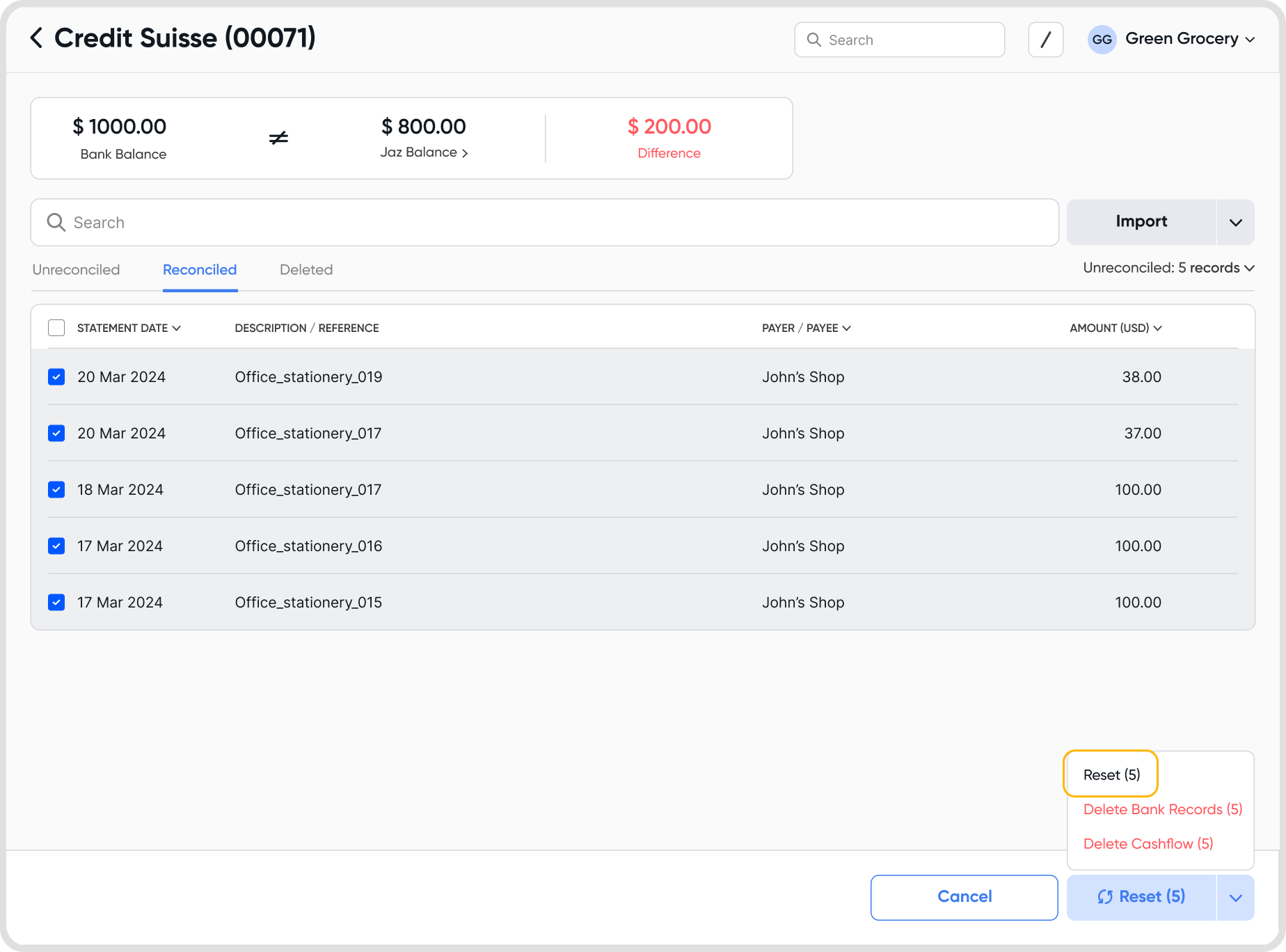
You can reset the reconciled statement lines individually using the 3-dot menu or you can bulk reset by multi-selecting desired records.
Q2. What are the different reset reconciliation options?
There are three different reset options:
Reset: resets the reconciliation without deleting any reconciled entries. The bank record returns to Unreconciled.
Delete Bank Records: resets the reconciliation and deletes the bank record.
Note: you can undelete bank records.
Delete Cashflows: resets the reconciliation and deletes the cashflows. The bank record returns to Unreconciled.
Q3. Are there any other triggers to reset reconciliation apart from manually resetting the statement lines?
Yes, there are a couple of ways you can reset reconciliations -
Updating the net payment amount of the payment record used for reconciliation
Updating the payment account of the payment record used for reconciliation
Updating the debit/credit amount of the payment account of the journal entry used for reconciliation
Updating the payment account in the journal entry used for reconciliation